
Technology
That Works
For You
Technology
That Works
For You
Simple solutions designed to make everyday life easier
and to do good.
❤️ DESIGNED WITH LOVE ❤️
❤️ DESIGNED WITH LOVE ❤️
Introducing
PhonePal PRO
Simple calling for seniors and people with low vision.
The calling app that puts people first.

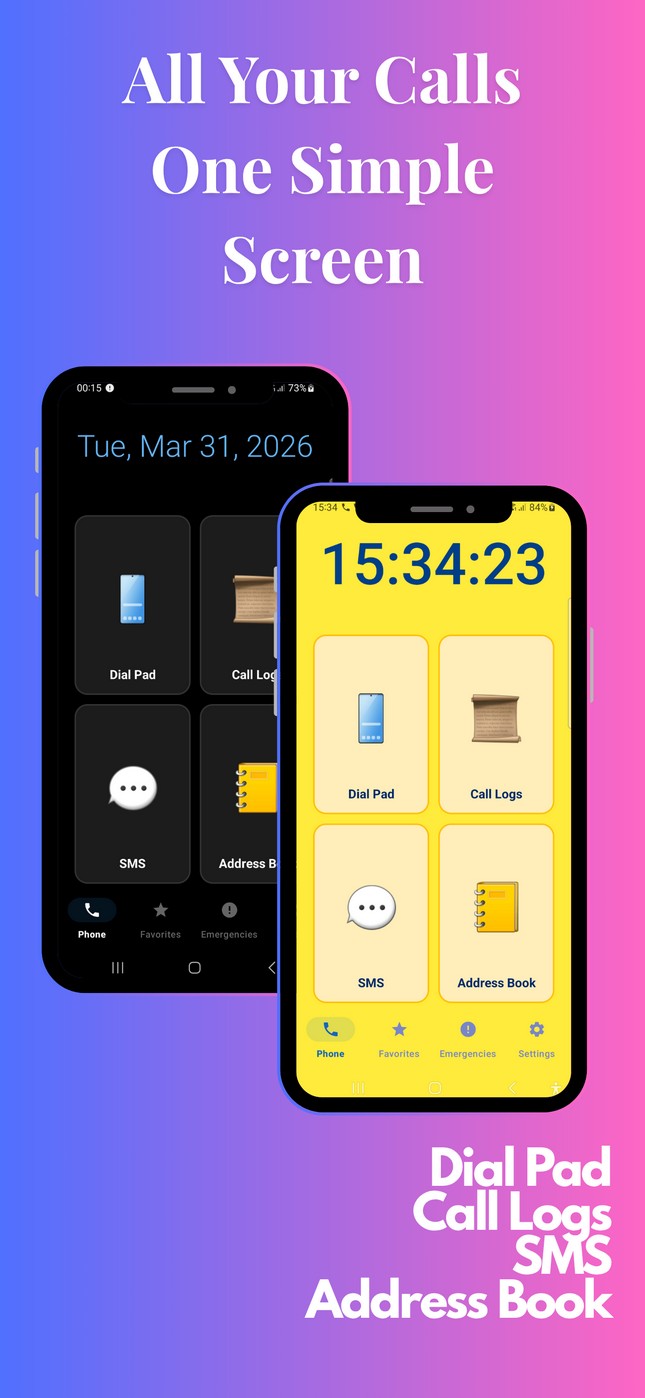
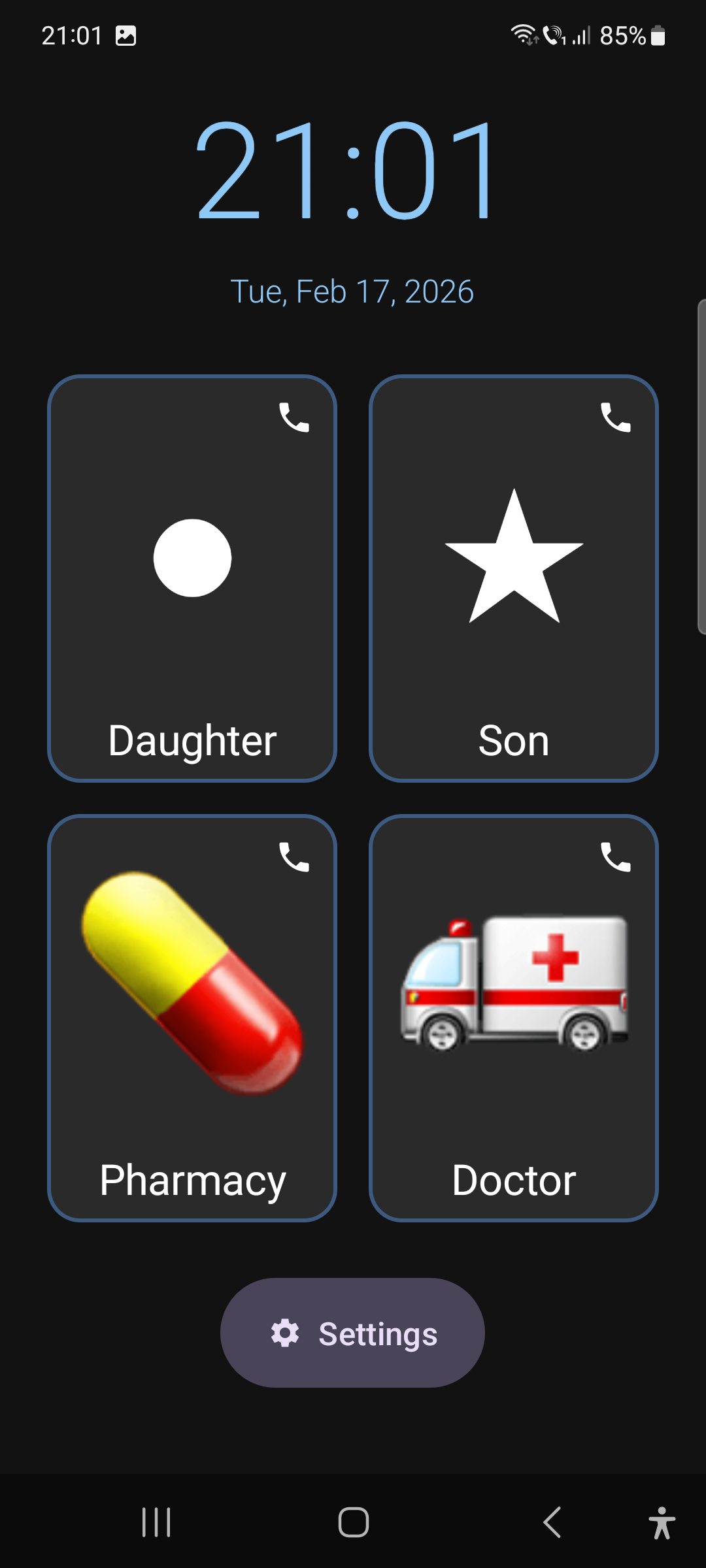
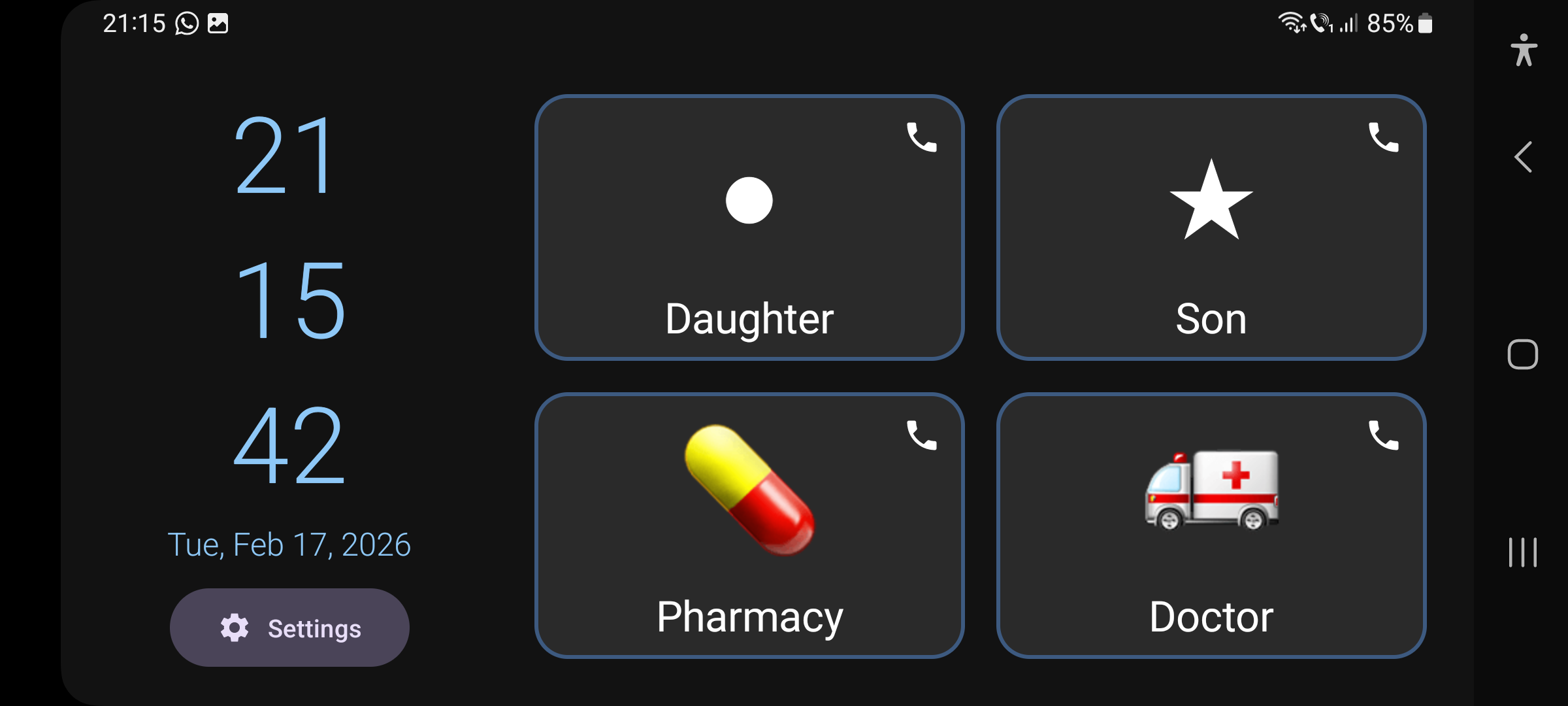
We redesigned the calling experience from the ground up—with large buttons, simple symbols, and intuitive design that anyone can use.
Everything You Need, Nothing You Don't
Powerful features designed with simplicity in mind
Designed for Visibility
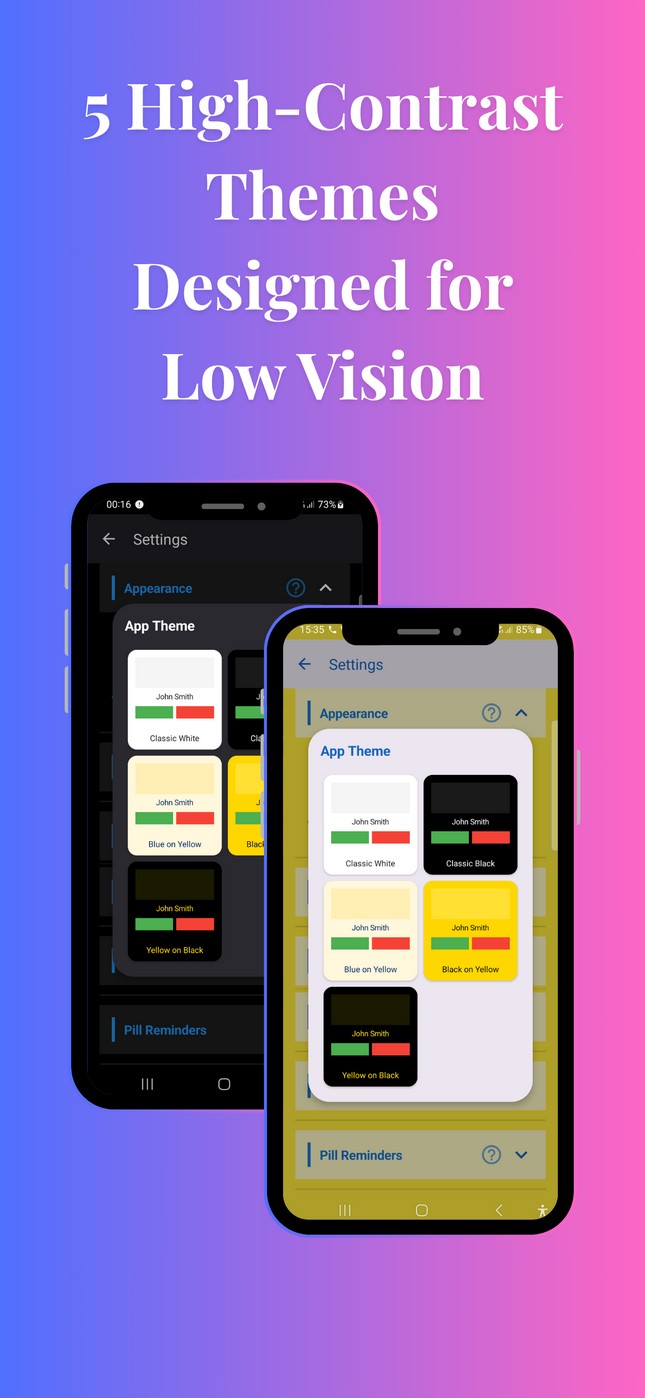
High contrast, adjustable text sizes, and bold symbols that are easy to see and recognize.
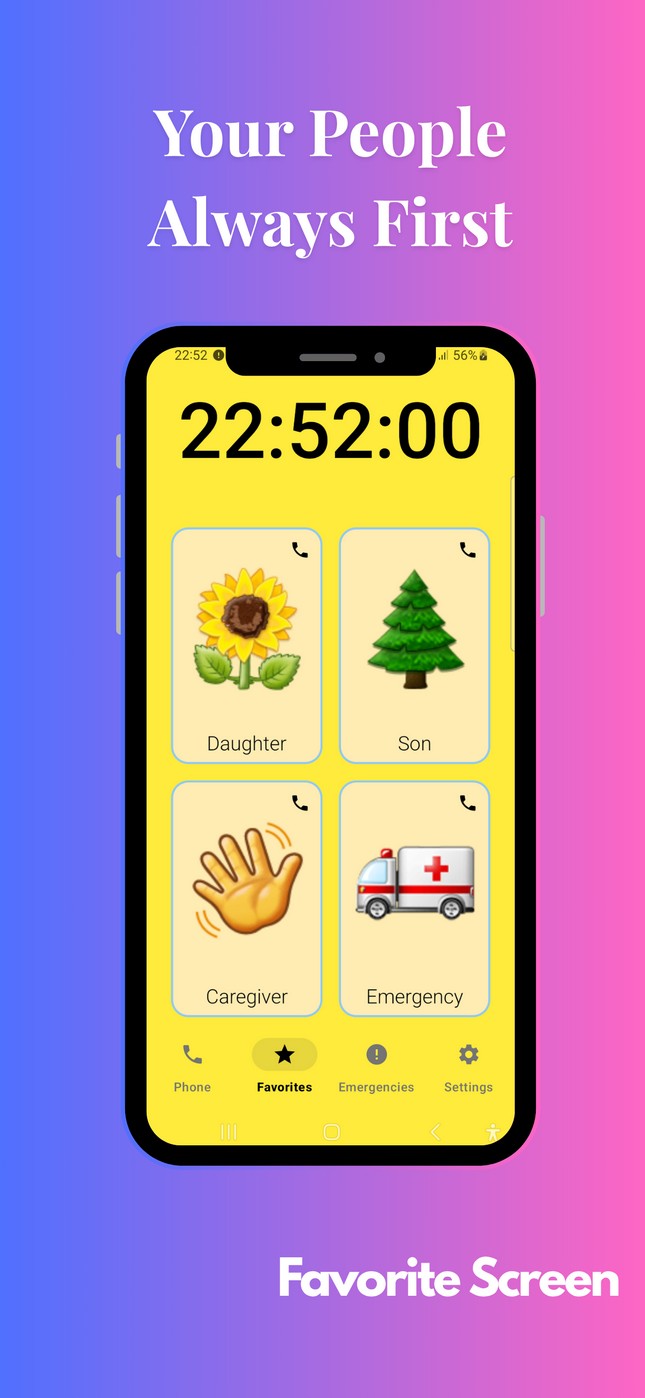
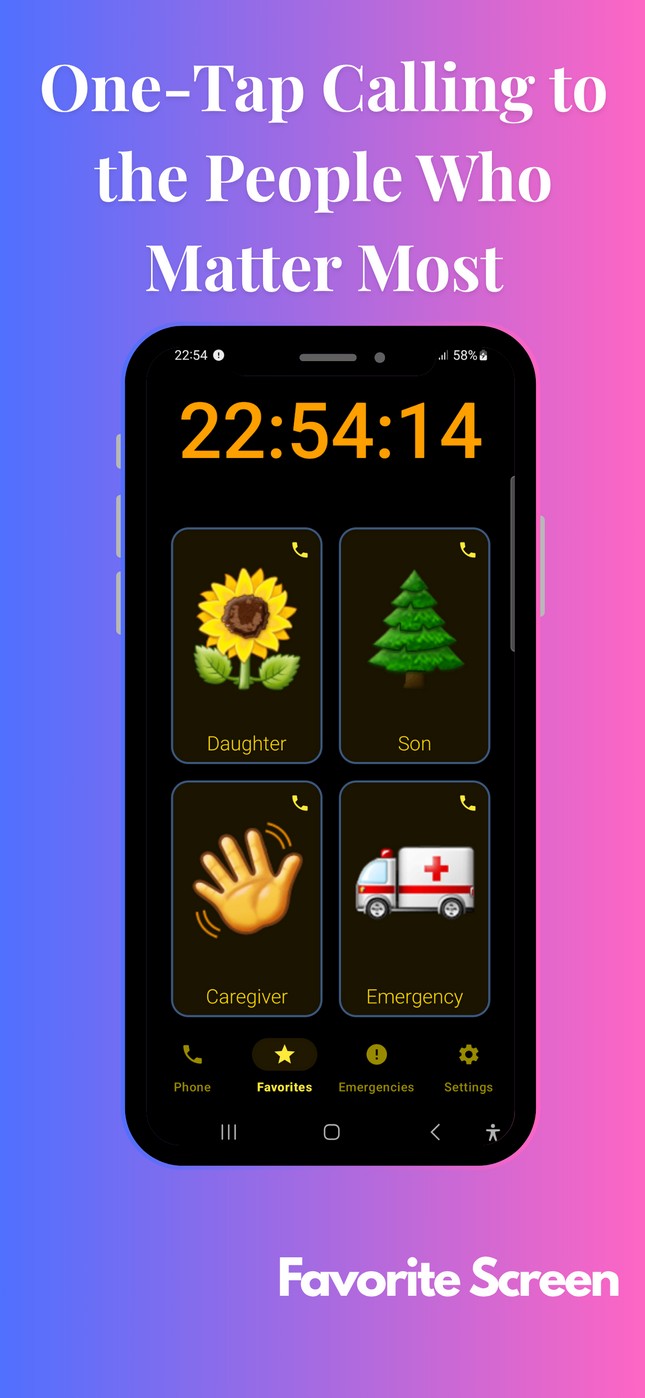
Favorite Contacts
WhatsApp Integration
Spam Protection
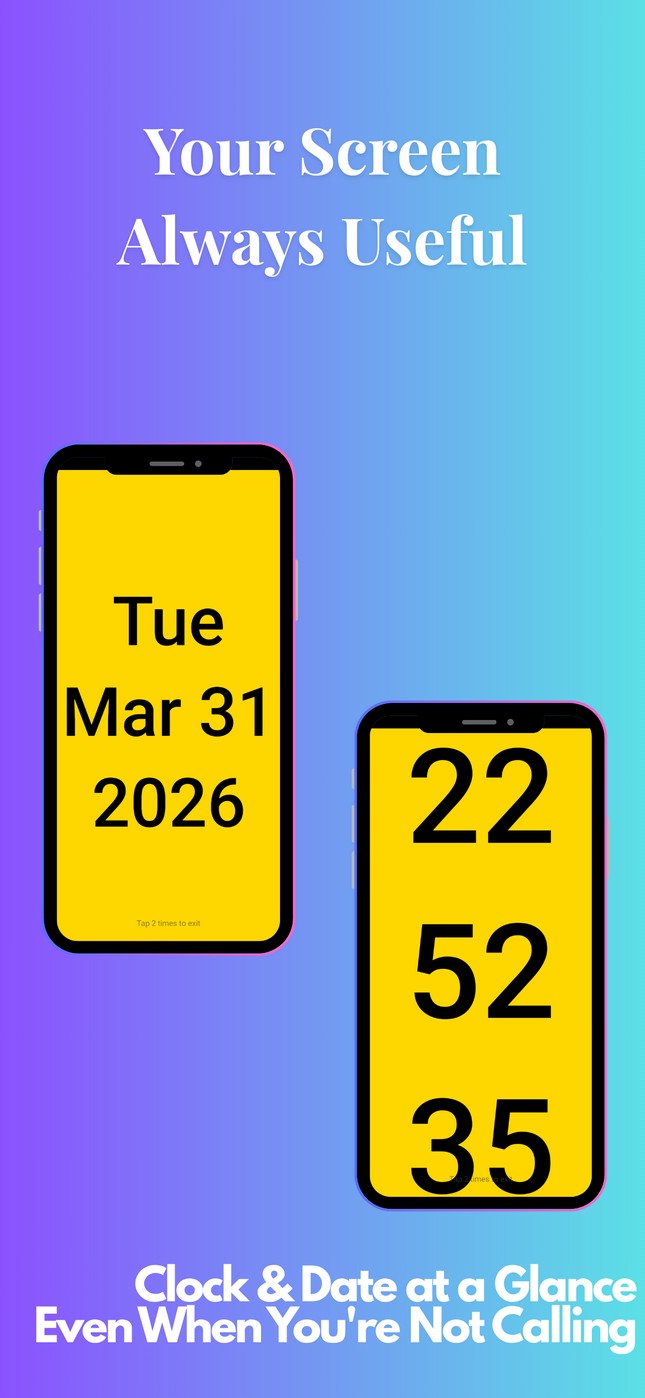
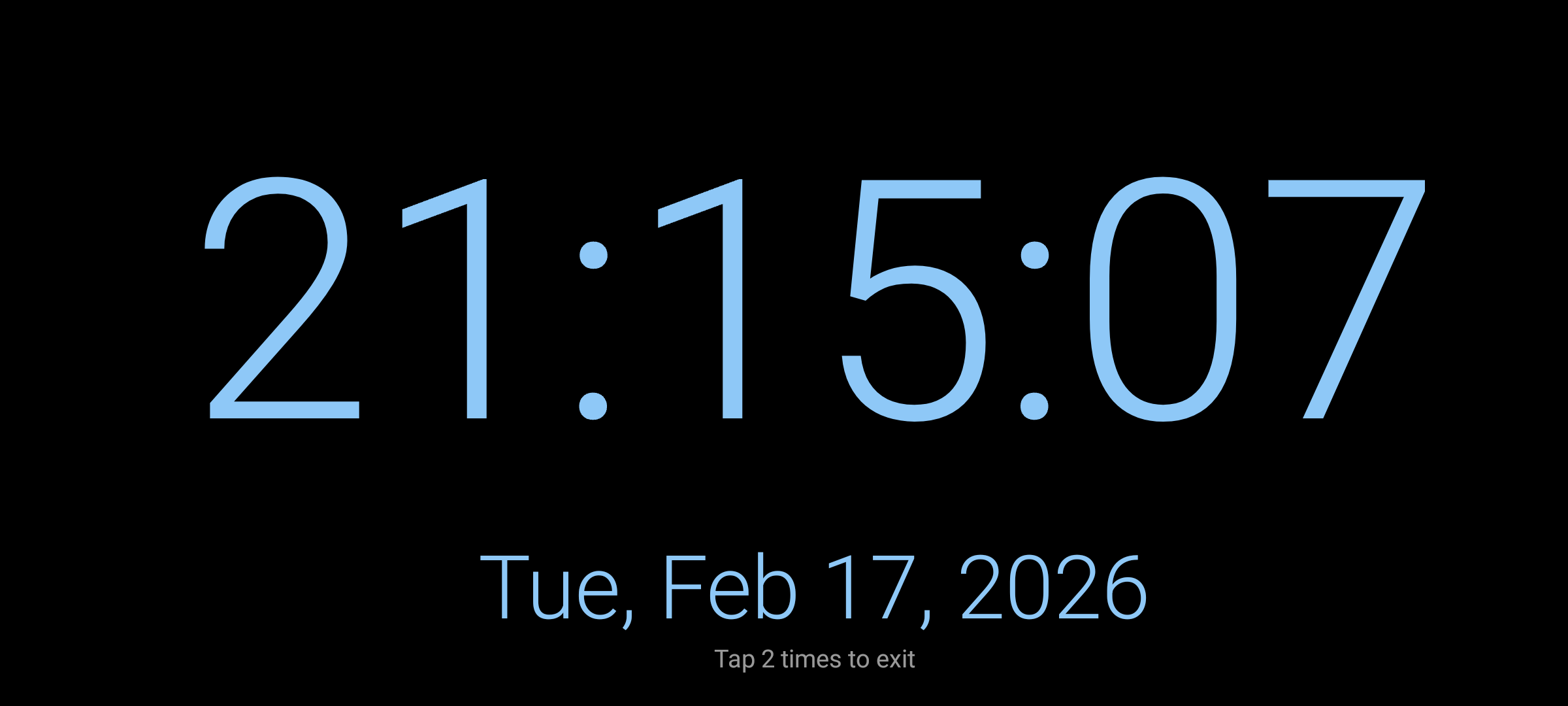
Screen Saver
30+ Languages
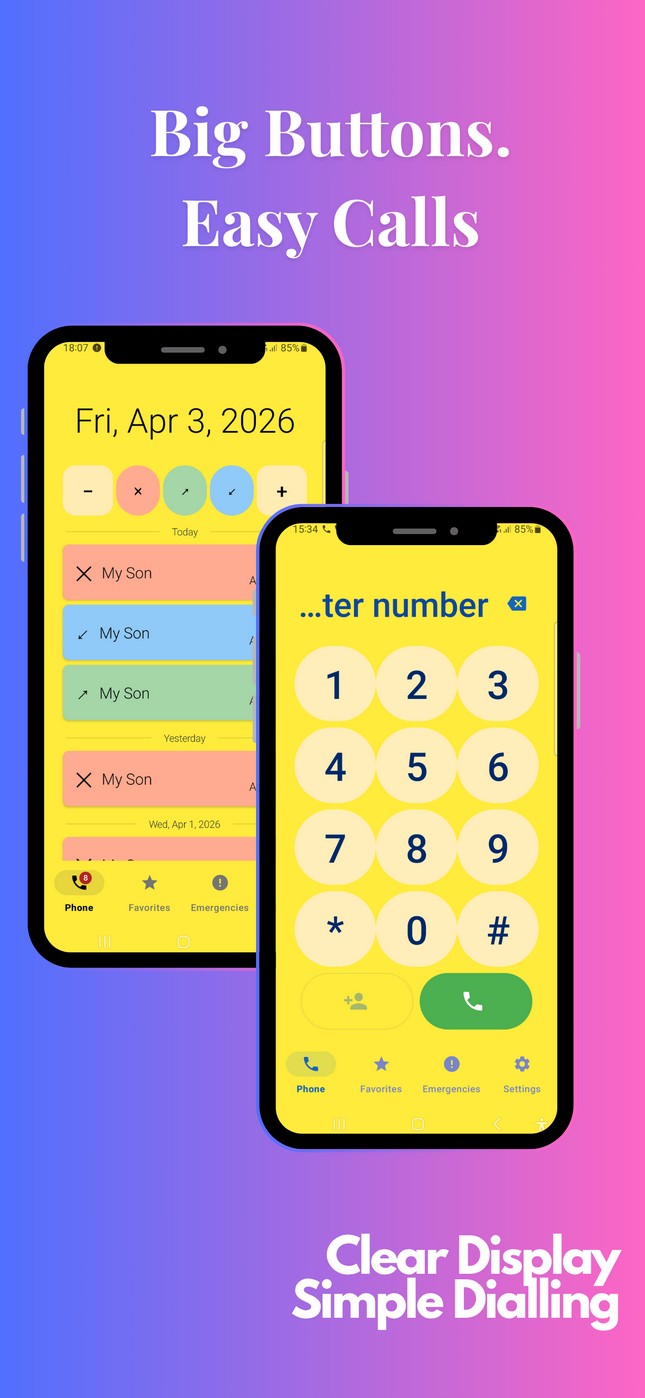
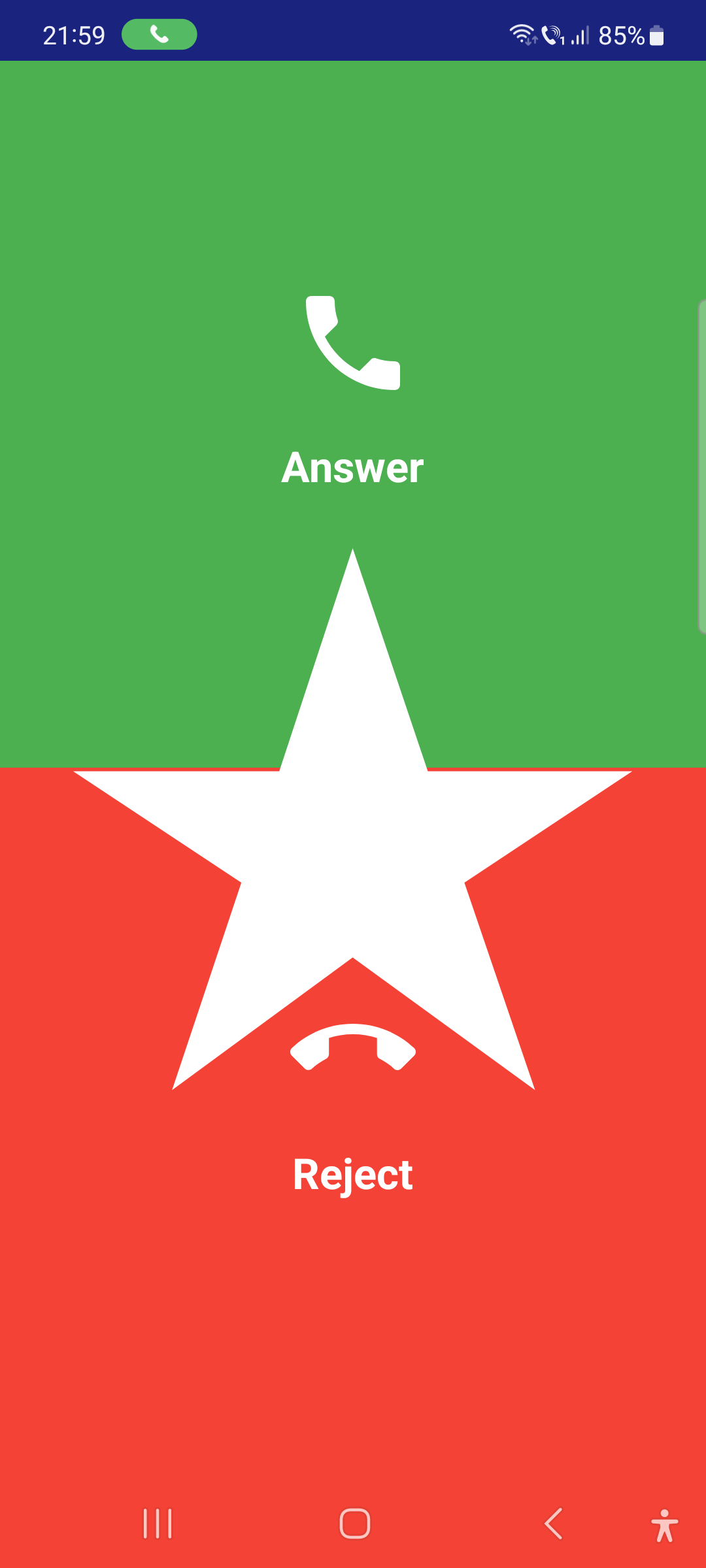
Big, Easy Buttons
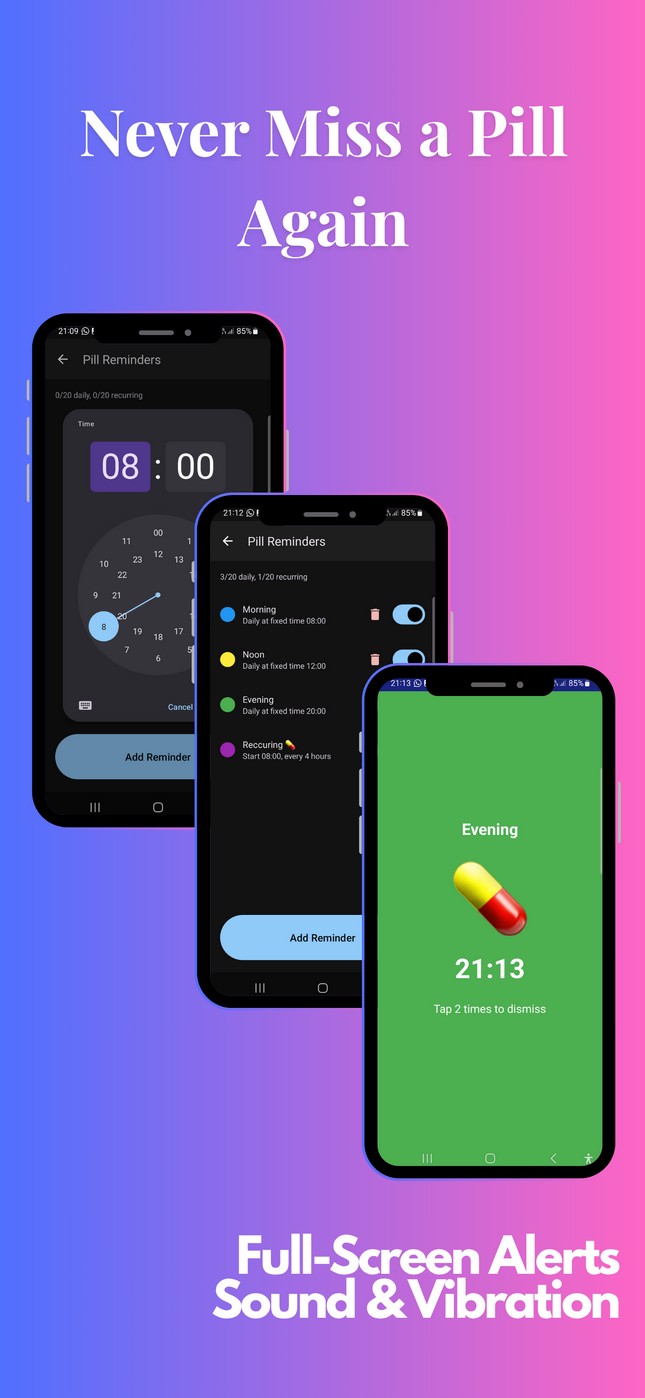
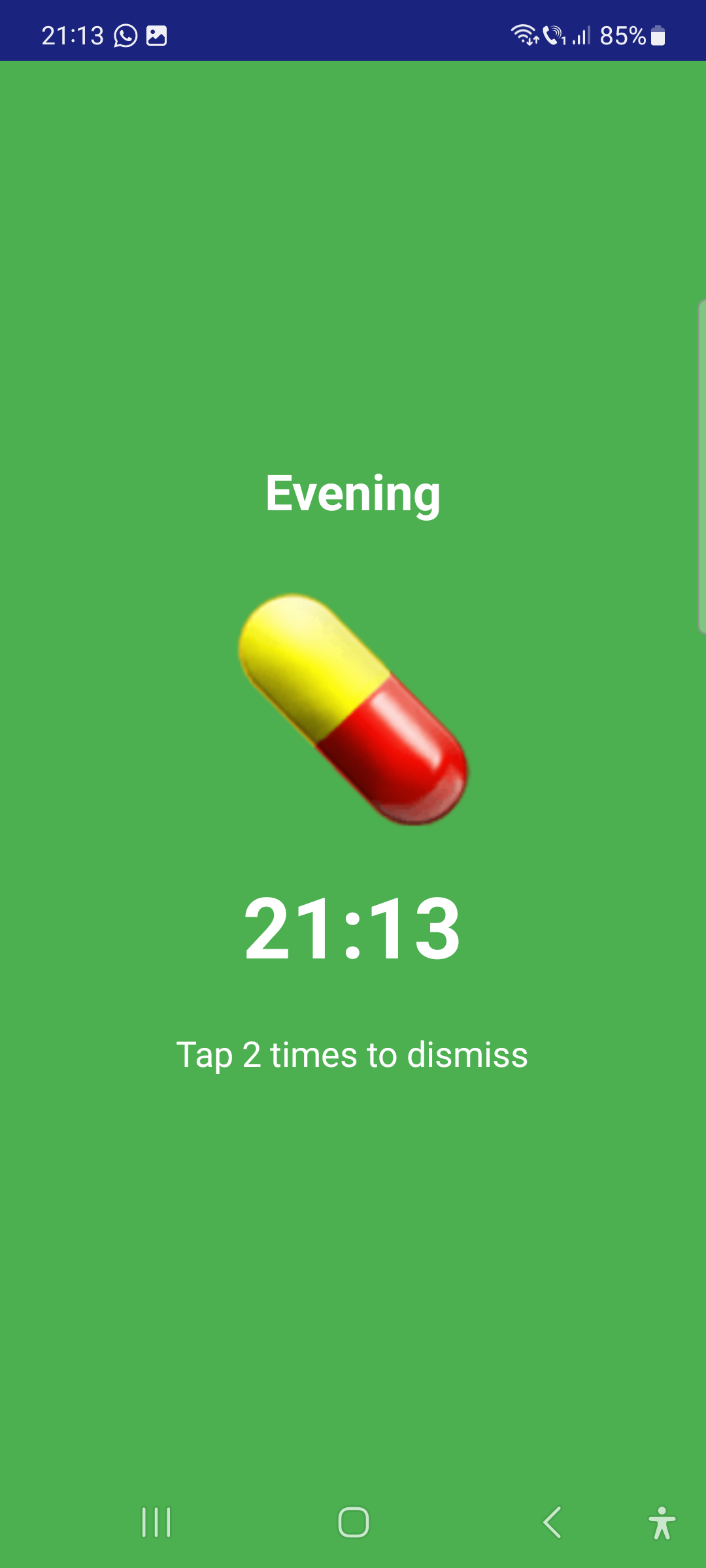
Pill Reminders
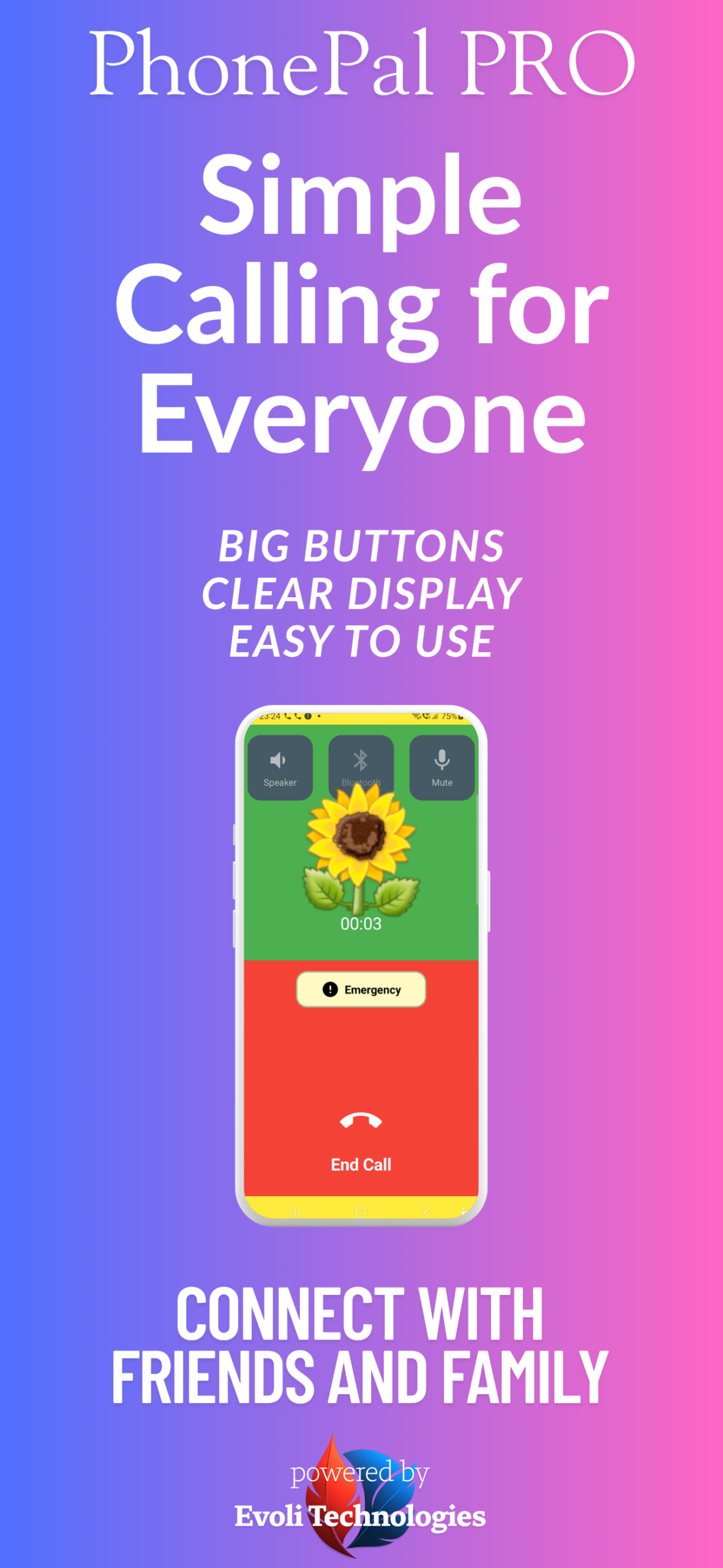
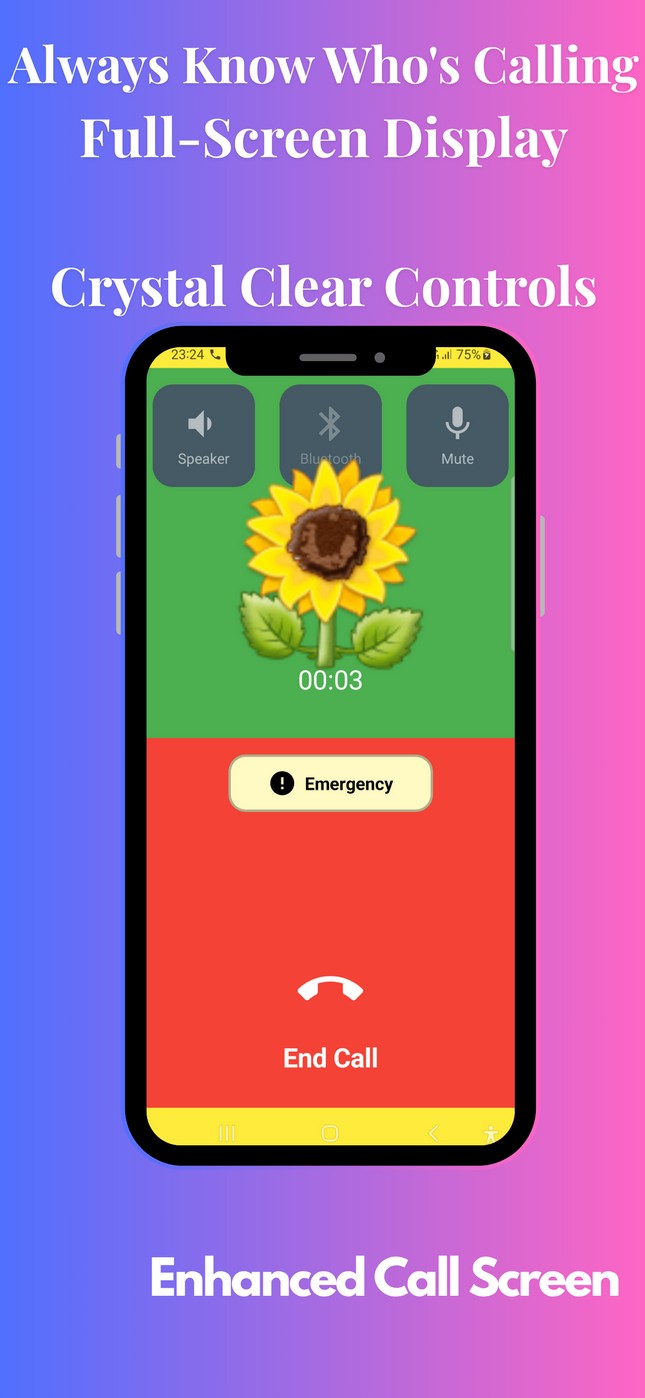
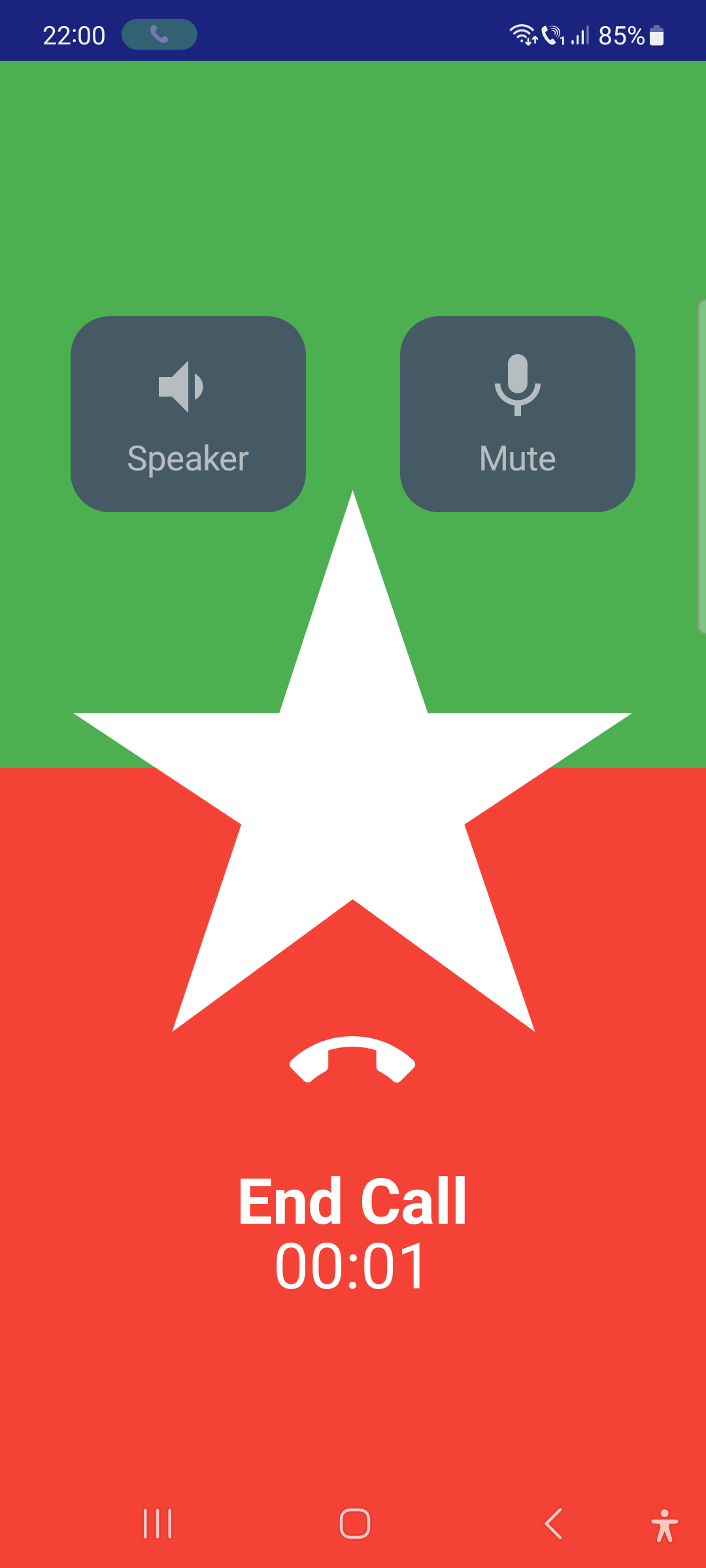
Active Call Screen
Show call controls overlay during outgoing calls. (only for phone calls)
Simple Setup. Instant Connection.
Get started in under 5 minutes
Download
Get PhonePal PRO from the Google Play Store. Free to start.
Add Favorites
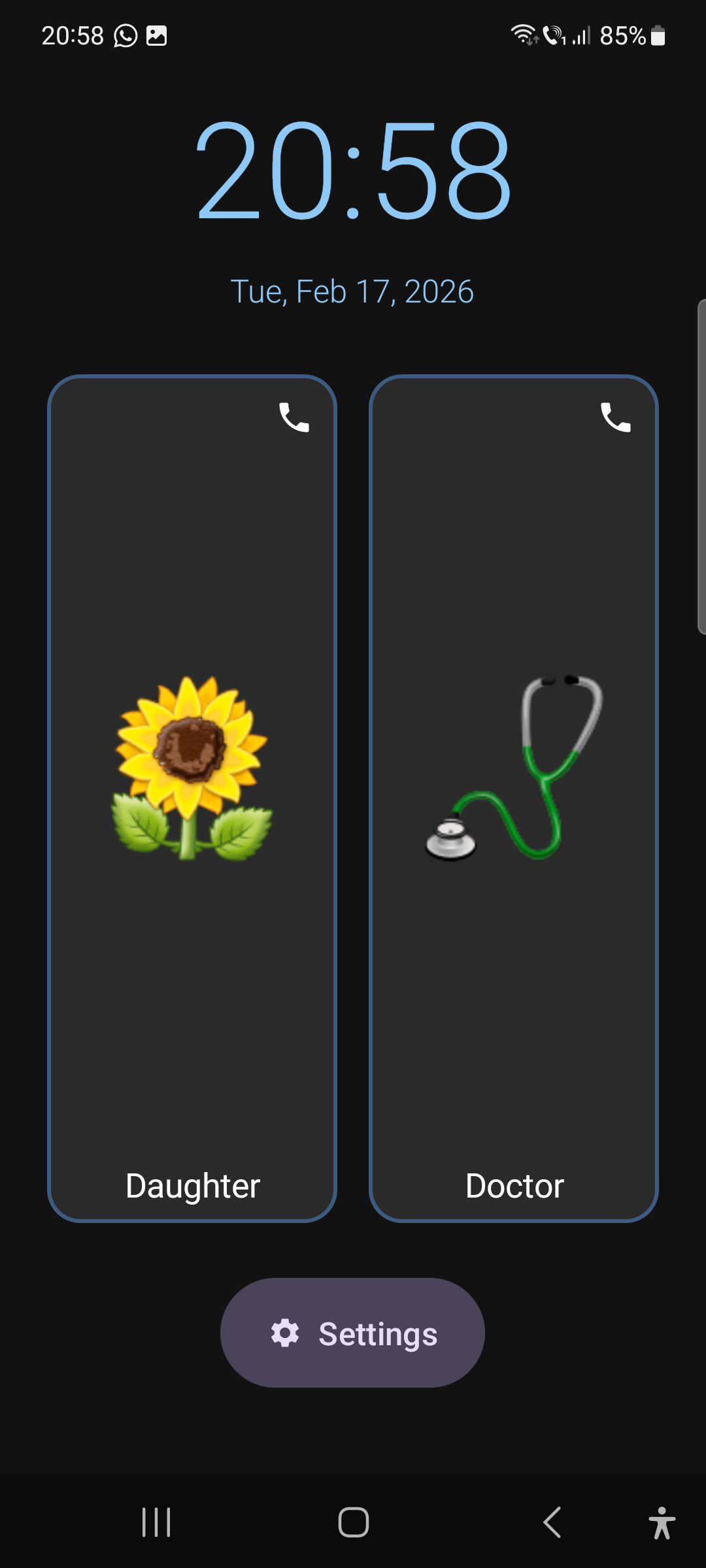
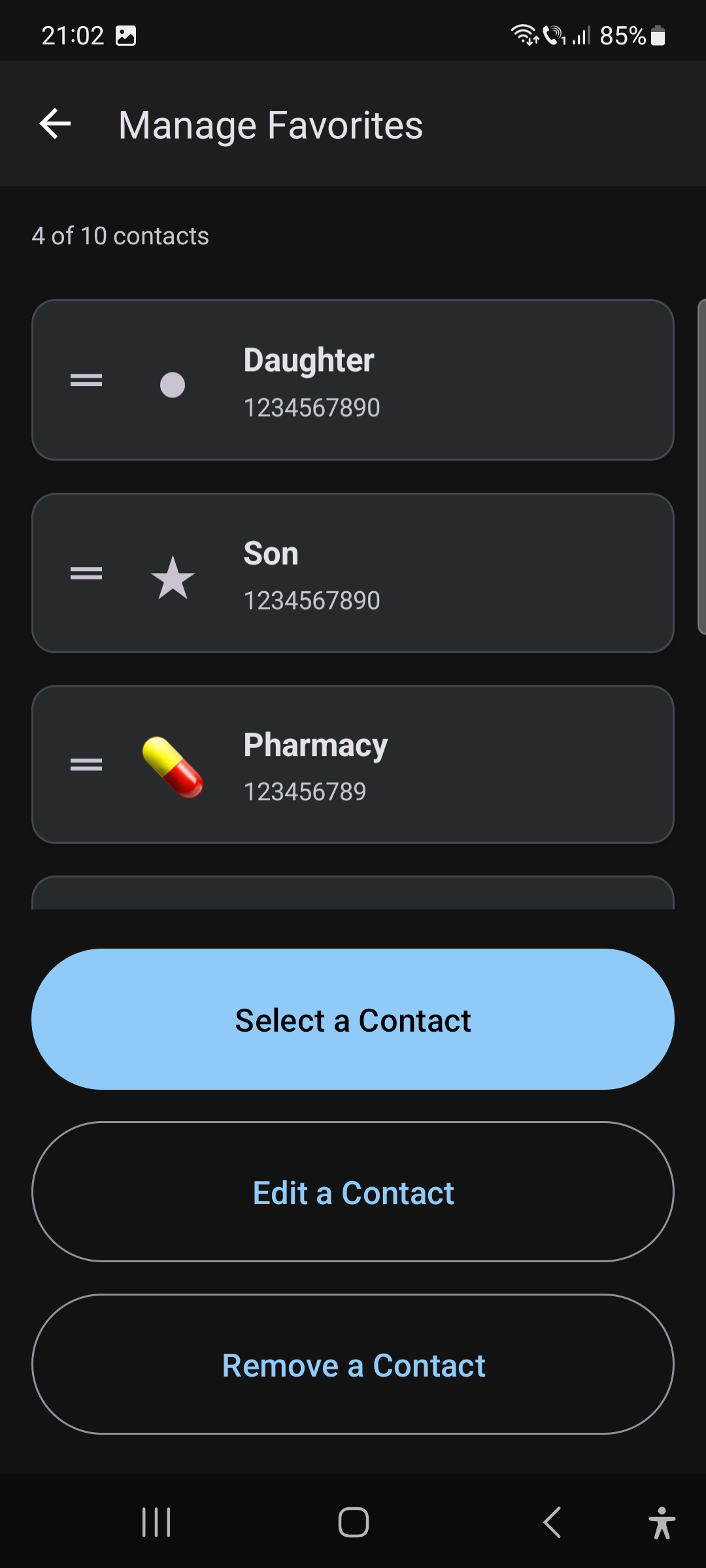
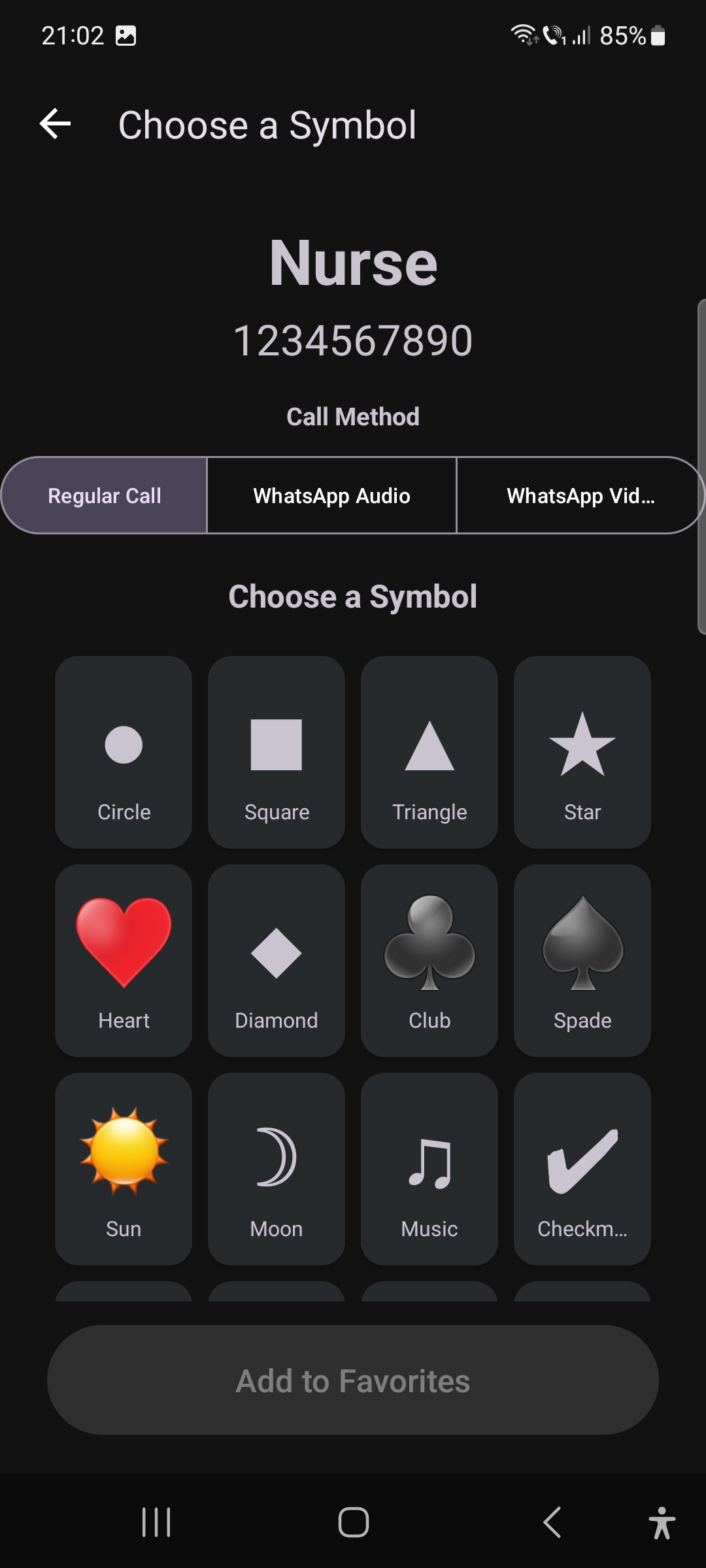
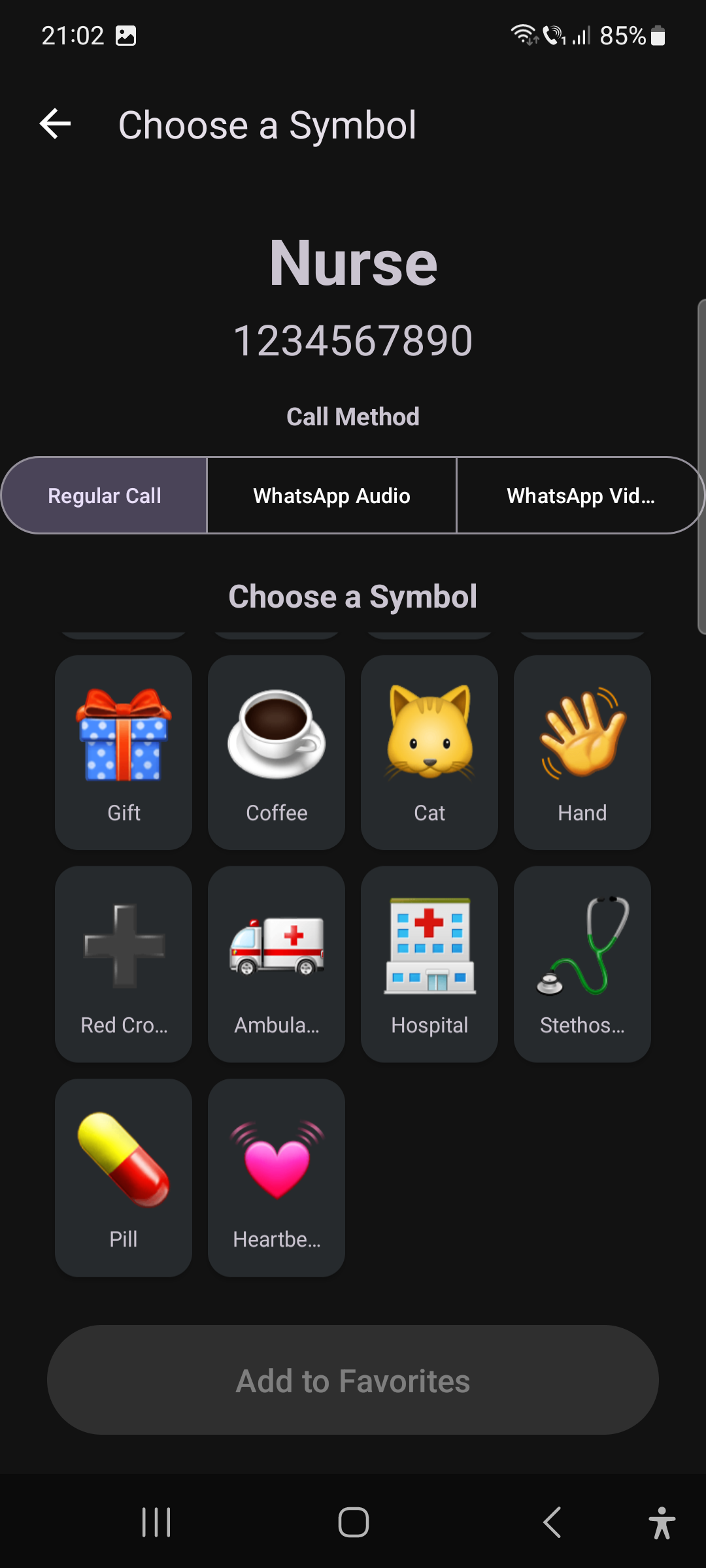
Choose your most important contacts and assign easy-to-recognize symbols.
Start Calling
One tap to call. That’s it. No menus, no confusion.
Everything You Need, Nothing You Don't
Simple, transparent plans built for seniors and people with low vision. No hidden fees, free updates included.
Feature |
Free
$0
|
★ Upgrade
Plus
$2.99/mo
|
|---|
See It In Action
Clean, simple, and easy to use
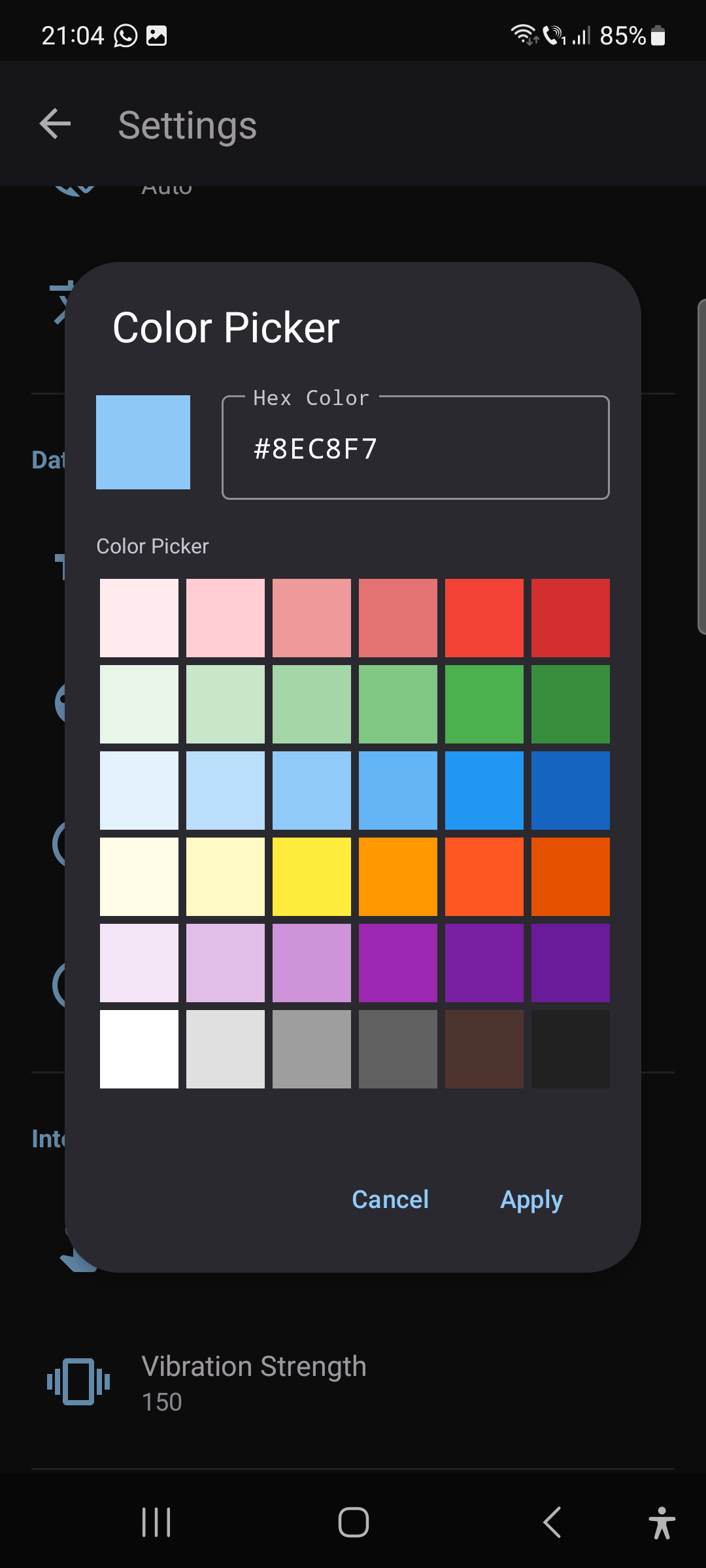
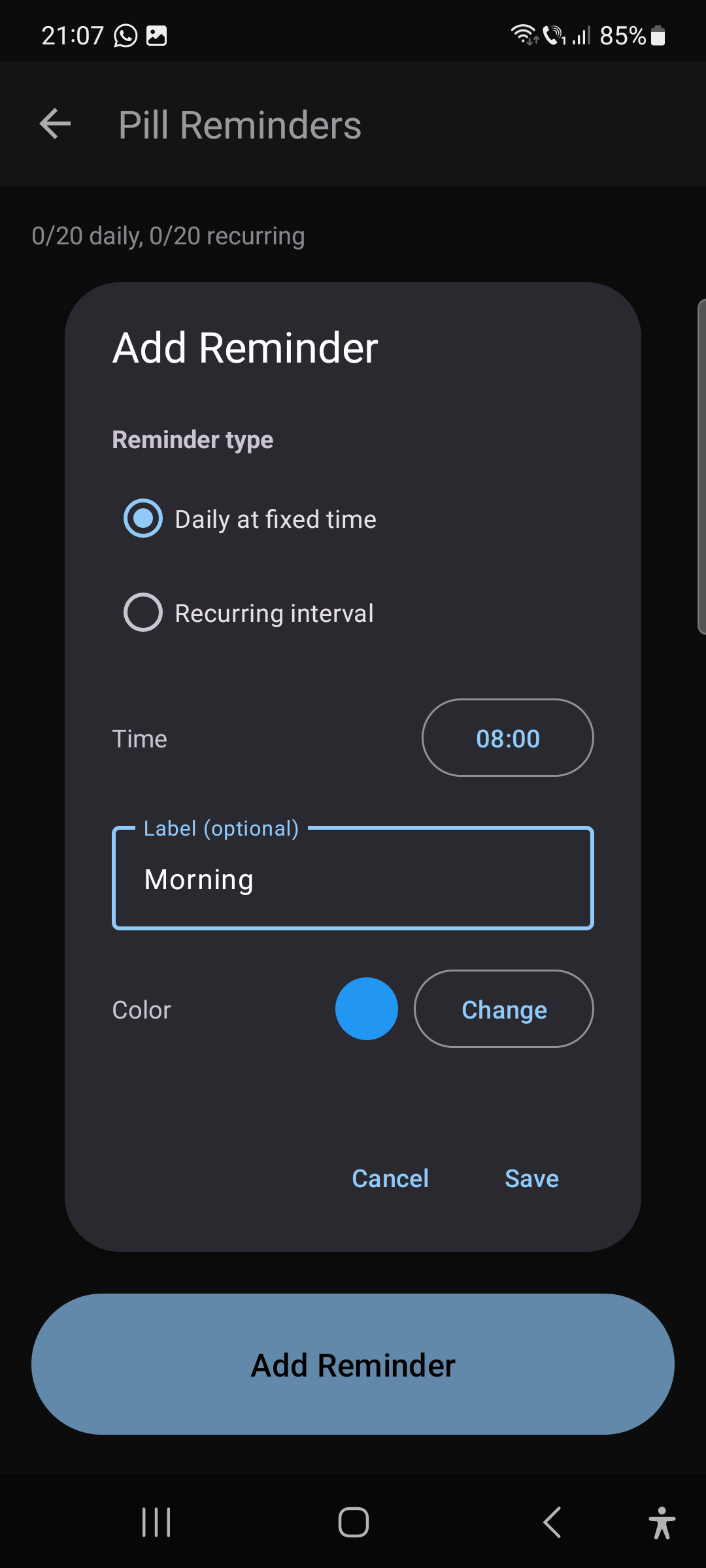
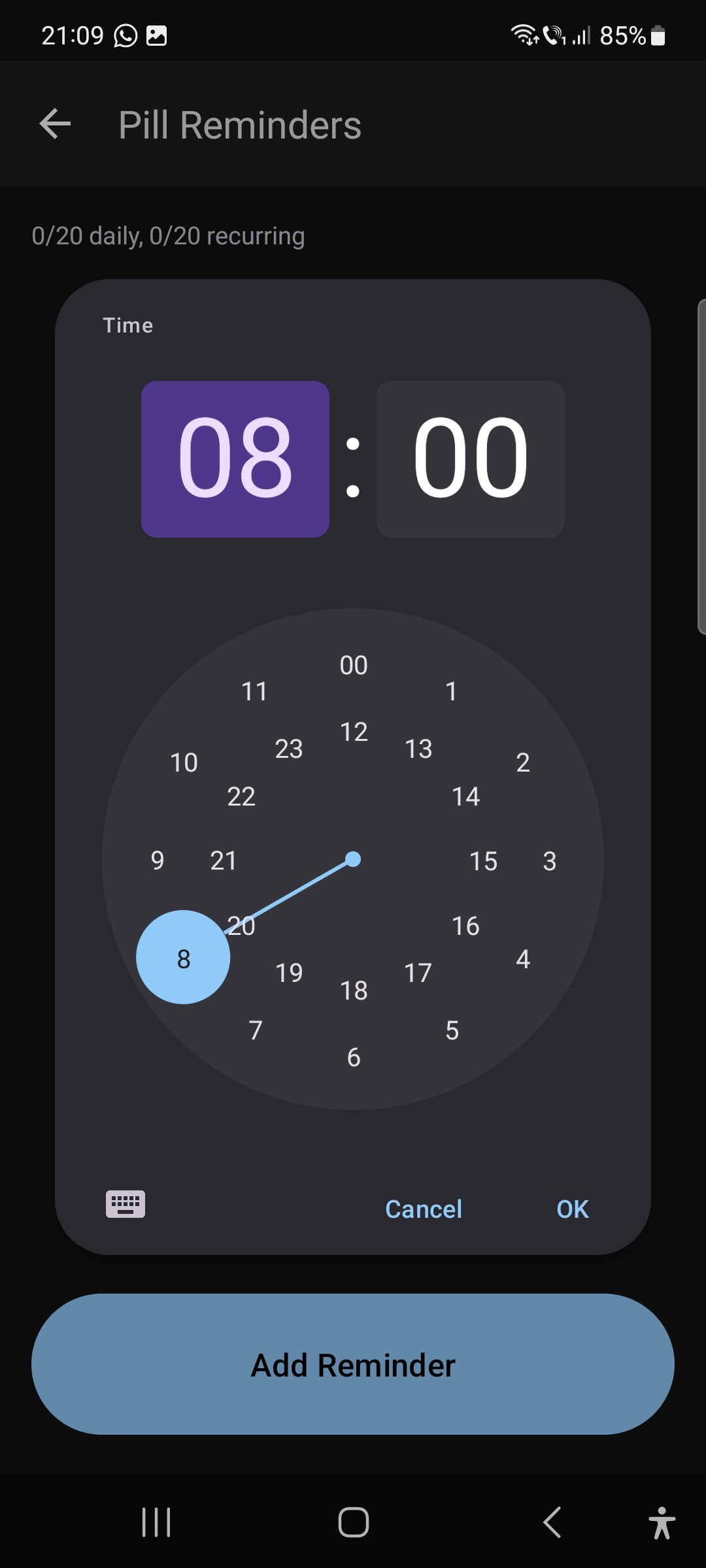
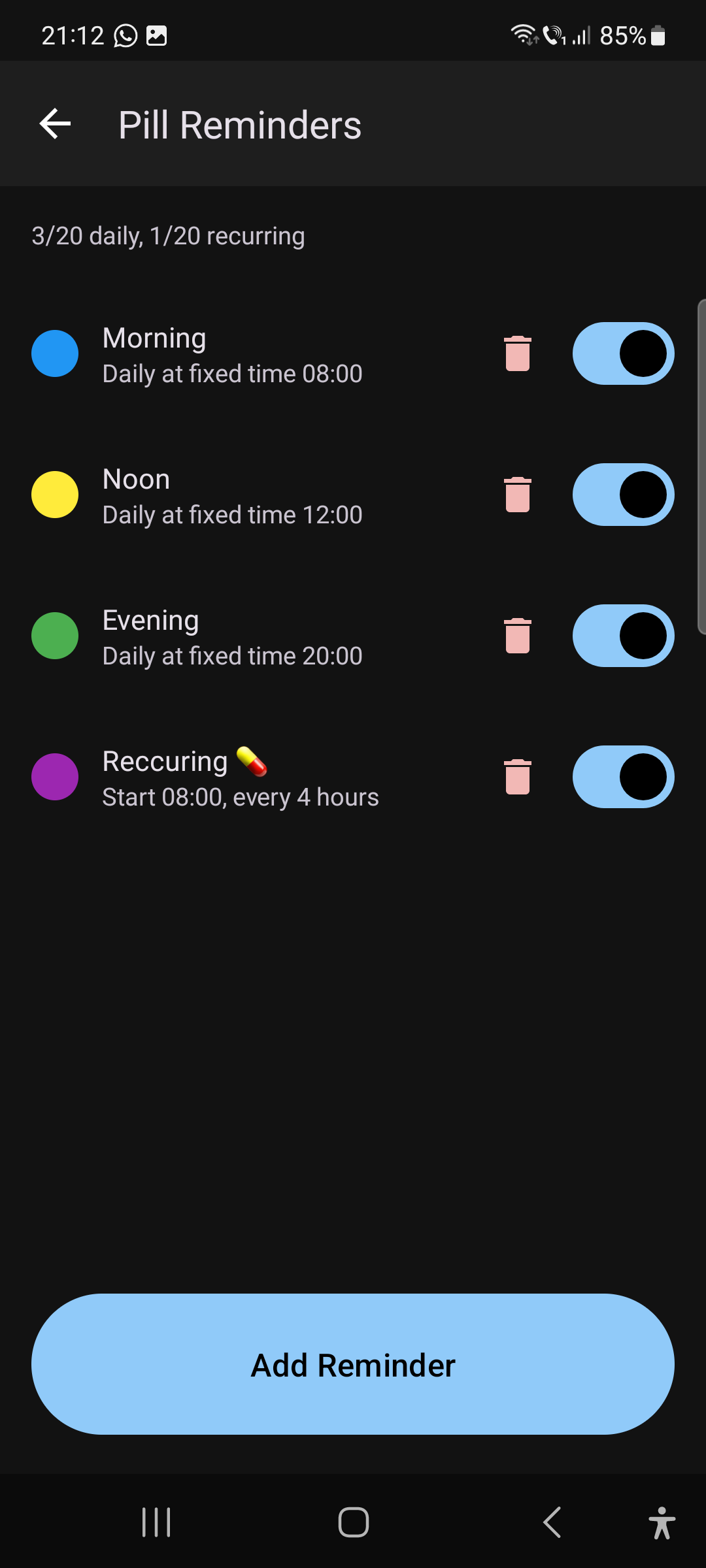

Frustrated with tiny buttons
😔
Modern Phones Weren't Built for Everyone
Tiny buttons. Confusing menus. Small text that’s impossible to read.
For millions of seniors and people with visual impairments, making a simple phone call has become unnecessarily complicated.
Missed calls from loved ones. Frustration with technology. Loss of independence.
There's a Better Way
PhonePal PRO redesigns the phone experience with simplicity and accessibility at its core.
Built For Those Who Need It Most
Designed with empathy, tested with care
👴
Seniors
Simple, frustration-free calling for parents and grandparents who deserve technology that works for them.
👓
Low Vision Users
Large text, high contrast, and bold symbols designed for people with visual impairments.
🤝
Caregivers
Set up and manage the app for your loved ones. Peace of mind knowing they can always reach you.
✋
Reduced Dexterity
Large tap targets and customizable sensitivity for users with motor difficulties or tremors.
Our Story and Commitment
At Evoli Technologies, we believe technology should work for everyone. PhonePal PRO was born from a simple observation: modern smartphones have become increasingly difficult for seniors and people with visual impairments to use.
Our mission is to bridge this gap with intuitive, accessible solutions that empower users to stay connected with their loved ones independently.
- Designed for Accessibility
- Large, Easy-to-Read Interface
- WhatsApp Integration
- Privacy-First Approach
📱
Ready to Make Calling Simple?
Download PhonePal PRO free today. No credit card required.
📱Available for Android phones and tablets
F.A.Q.
Frequently Asked Questions
Everything you need to know about PhonePal PRO
General
What is PhonePal PRO?
CallAssist Pro is an Android app that turns any smartphone into a simple, accessible calling device for seniors and people with low vision. It features large buttons, emoji-identified favorite contacts, one-tap calling, and a clean interface designed to eliminate confusion.
Is PhonePal PRO really free?
Yes! The Free plan includes:
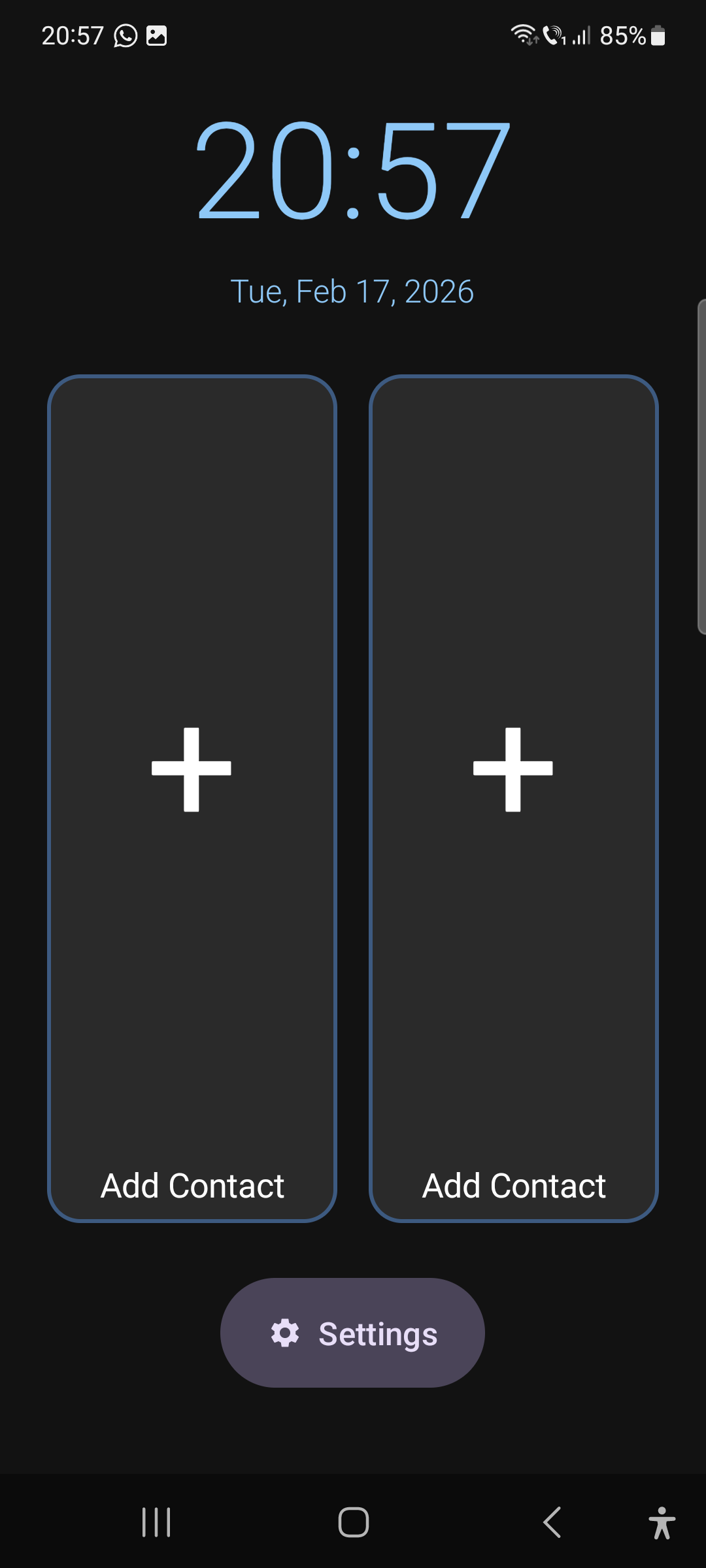
- 2 favorite contacts with emoji symbols
- Basic phone calling with multi-tap confirmation
- High contrast mode
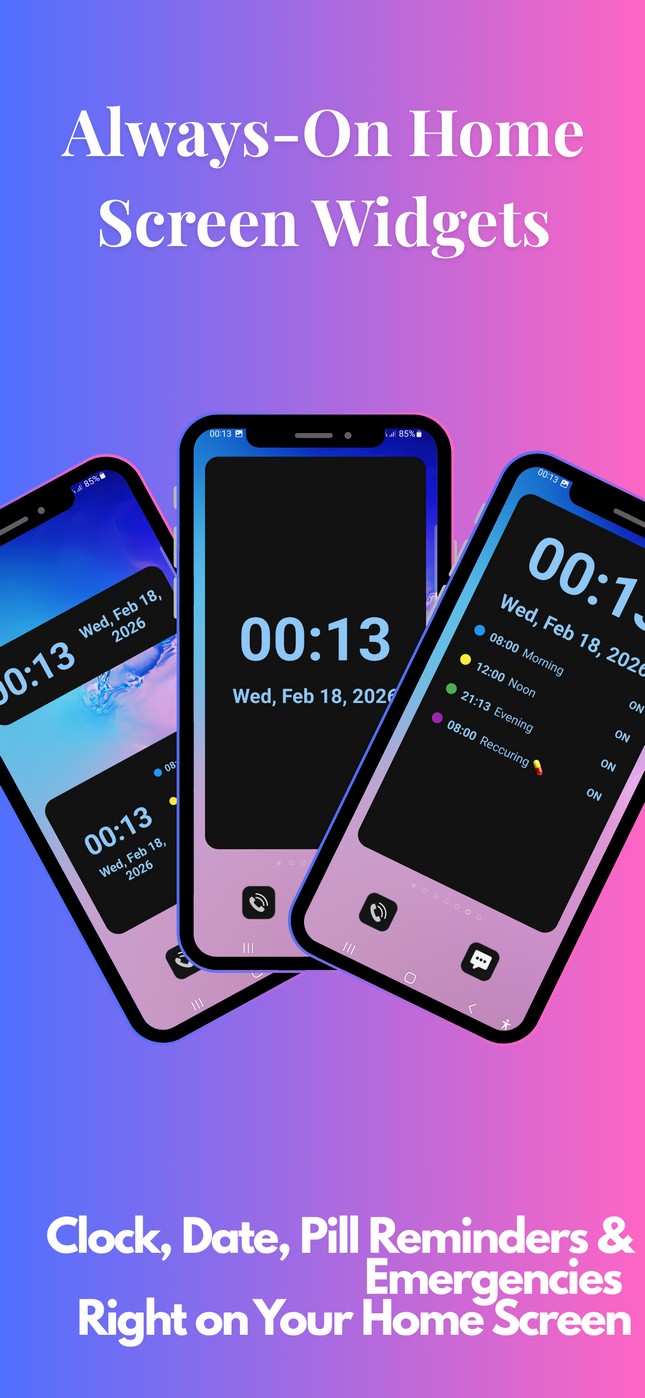
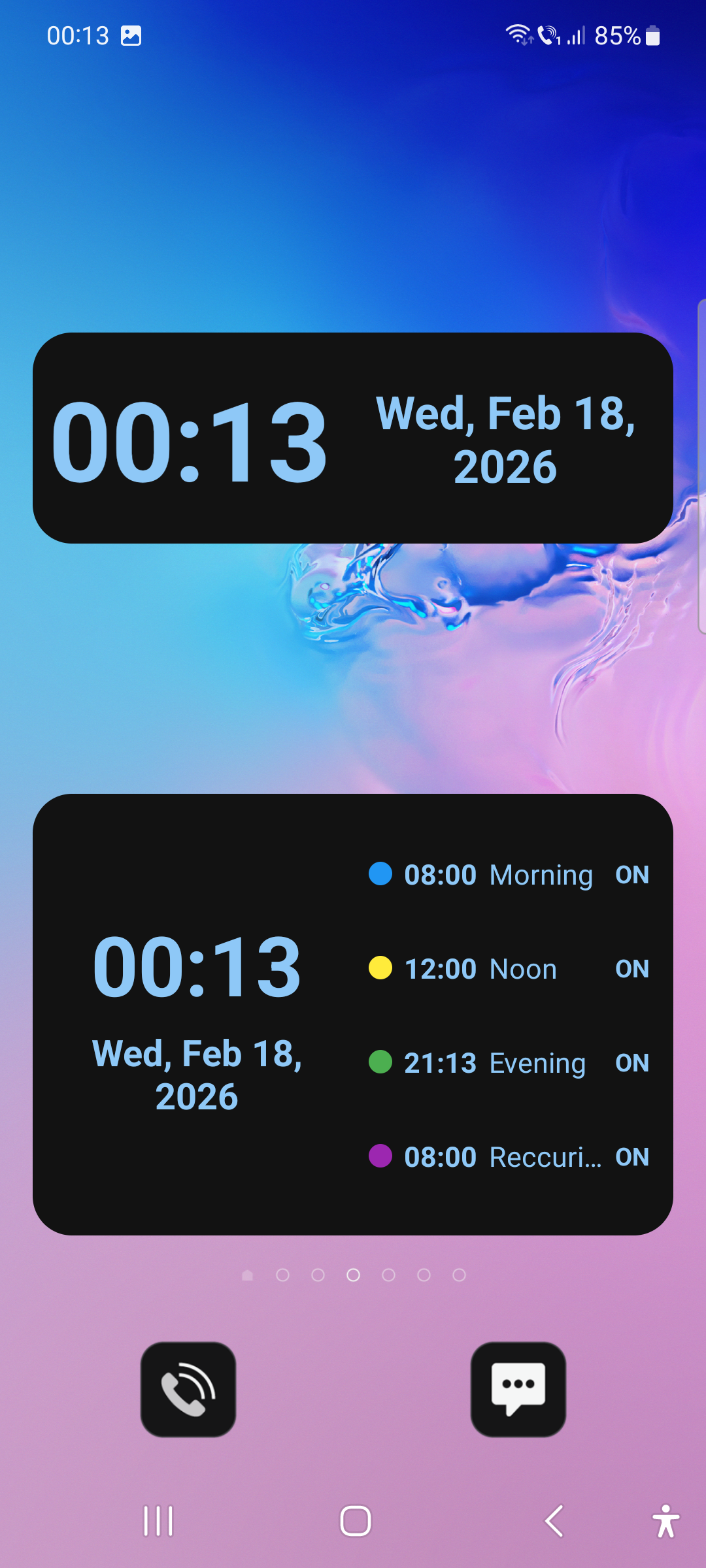
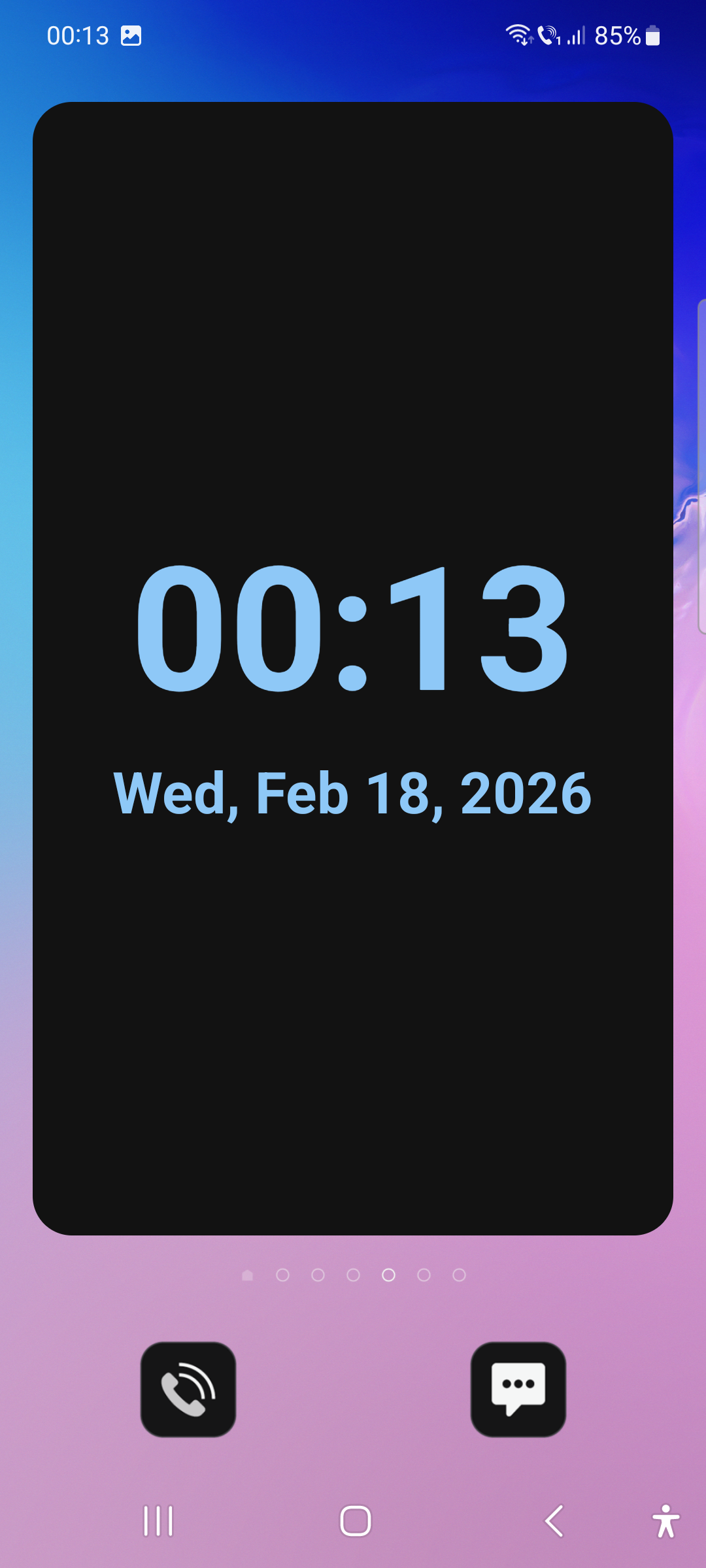
- Clock and compact clock widgets
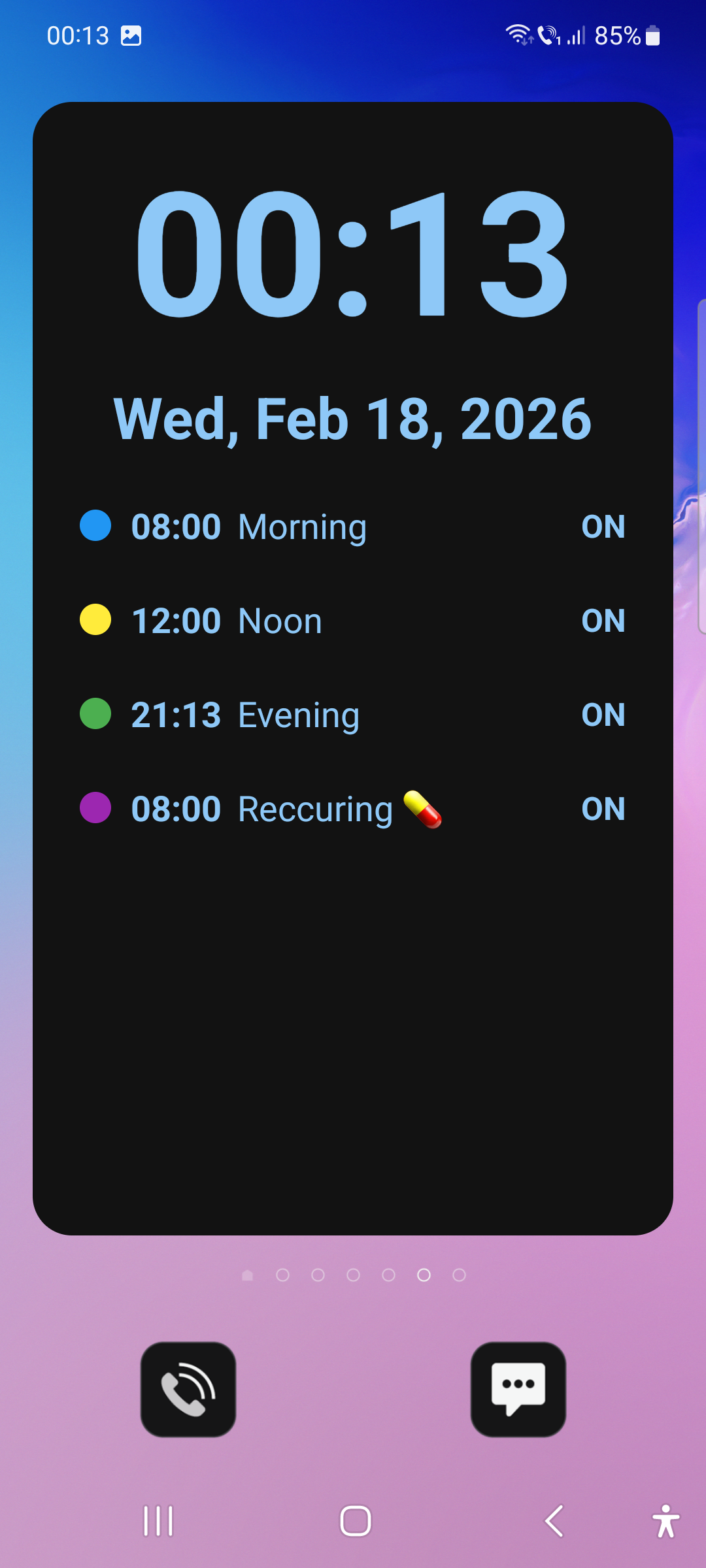
- 3 daily pill reminders + 1 recurring reminder
You can upgrade to Plus ($3.99/mo) or Pro ($6.99/mo) anytime for additional features. No credit card is required for the free plan.
What devices does PhonePal PRO work on?
CallAssist Pro works on all Android phones and tablets running Android 7.0 (Nougat) or later. This covers the vast majority of Android devices from the past 8+ years, including brands like Samsung, Motorola, Xiaomi, Google Pixel, OnePlus, and more.
Check Workarounds if you encounter any issues.
Is PhonePal PRO available for iPhone/iOS?
Currently, CallAssist Pro is Android-only. Due to iOS restrictions on call handling and notification access, an iPhone version is not available at this time. We focus exclusively on making the best possible Android experience.
Setup & Usage
Can someone else set it up for me?
Absolutely! CallAssist Pro was designed with caregivers in mind.
A family member or caregiver can download, install, and set up the entire app in under 5 minutes — including adding favorite contacts, assigning emoji symbols, configuring pill reminders, and adjusting accessibility settings.
Once set up, the user just taps to call.
How do I add favorite contacts?
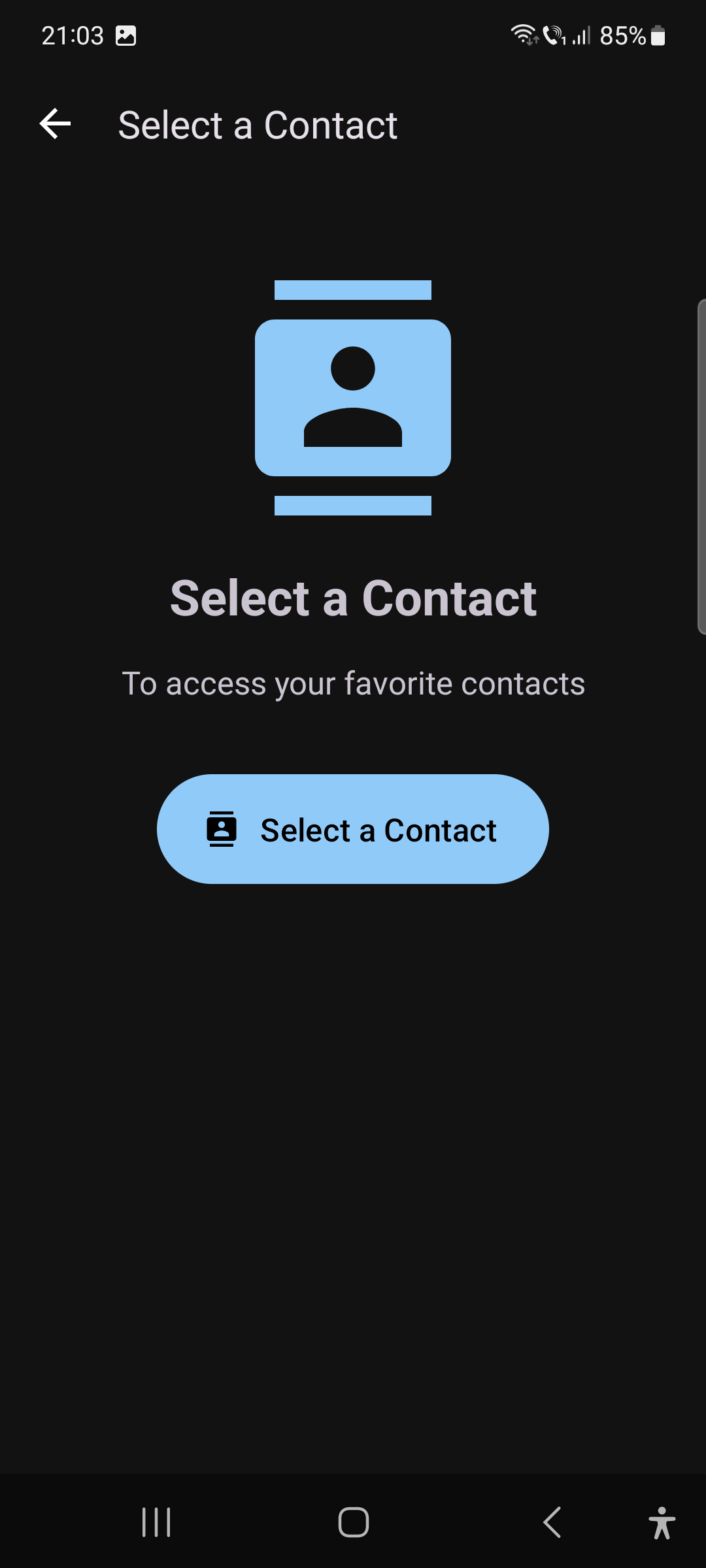
Go to the Settings / Favorites tab in the bottom navigation. Tap “Select a Contact” to select someone from your phone’s address book.
Then choose an emoji symbol that’s easy to recognize (like ❤️ for Mom or ⭐ for Dad).
You can also choose the calling method — regular phone, WhatsApp audio, or WhatsApp video.
Drag contacts to reorder them.
What is multi-tap confirmation?
Multi-tap confirmation prevents accidental calls. Instead of calling on the first tap, the app requires 2–5 taps (configurable in Settings) before placing a call.
Each tap gives vibration feedback and a visual countdown.
This is especially helpful for users with tremors or unsteady hands.
Default: 2 taps
What permissions does the app need?
The app requests only the permissions it needs:
- Contacts — to show your address book and assign favorites
- Phone — to make and answer calls
- Notifications — for pill reminders and call alerts (Android 13+)
Optional permissions for advanced features: Notification Listener (WhatsApp call detection), Accessibility Service (screen saver auto-start), and Exact Alarm (reliable pill reminders).
Features
How does WhatsApp calling work?
With the Pro plan, CallAssist Pro offers two WhatsApp features:
- Outgoing calls: Assign WhatsApp Audio or Video as the call method for any contact. Tapping opens a WhatsApp call directly.
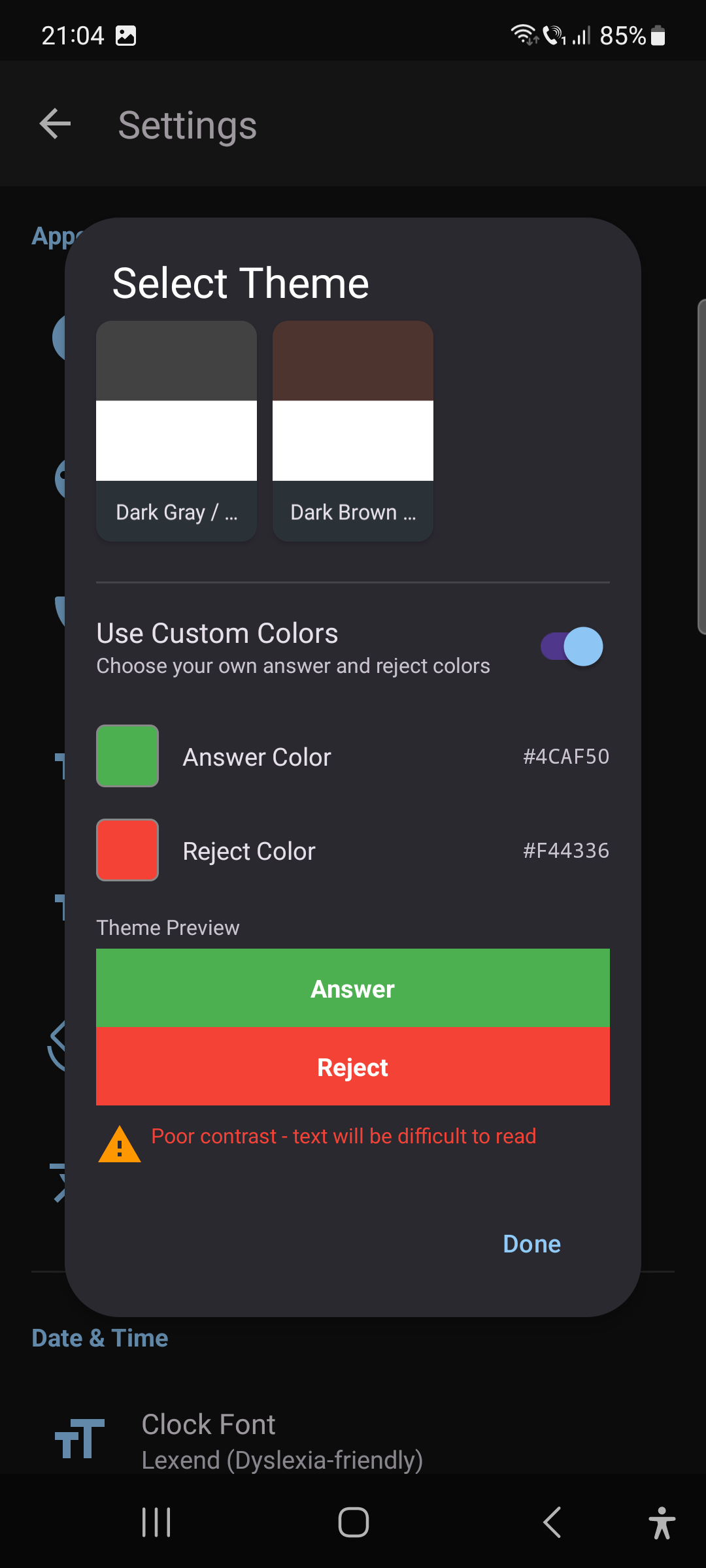
- Incoming call detection: The app monitors WhatsApp notifications and shows incoming WhatsApp calls in our large, accessible full-screen interface with big Answer/Reject buttons.
WhatsApp must be installed on the device. The detection works in 30 languages to match WhatsApp’s notification language.
On some models these options are not available.
What are pill reminders?
Pill reminders help users never miss a medication dose.
You can set:
- Daily Fixed: Reminders at a specific time every day (e.g., 8:00 AM)
- Recurring Interval: Reminders every X hours (e.g., every 6 hours)
Each reminder has a custom label, color, and triggers a full-screen alert with a large dismiss button.
Limits:
- Free = 3 daily + 1 recurring,
- Plus = 4 daily + 1 recurring,
- Pro = 20 daily + 20 recurring.
Reminders persist across reboots.
How does the screen saver work?
The screen saver (Pro plan) displays a large, easy-to-read clock when the app has been idle for a configurable time (1–30 minutes). It features 6 font options, customizable clock colors, and requires multi-tap to dismiss (preventing accidental exits). The screen saver automatically exits when an incoming call arrives.
What home screen widgets are available?
CallAssist Pro includes 4 widget types:
- Clock Widget (Free) — Full-screen time and date display
- Compact Clock Widget (Free) — 4×1 compact time and date
- Pill Clock Widget (Plus+) — Full-screen time + next pill reminder
- Compact Pill Clock Widget (Plus+) — 4×2 compact version with reminder
All widgets support 6 fonts, theme-aware colors, and tap-to-open-app functionality.
Plans & Billing
What's the difference between Free, Plus, and Pro?
Free: 2 contacts, basic calling, high contrast, clock widgets, 3 pill reminders, English only.
Plus ($3.99/mo): 4 contacts, pill clock widgets, clock color customization, call screen layout options, Plus themes, 4 pill reminders.
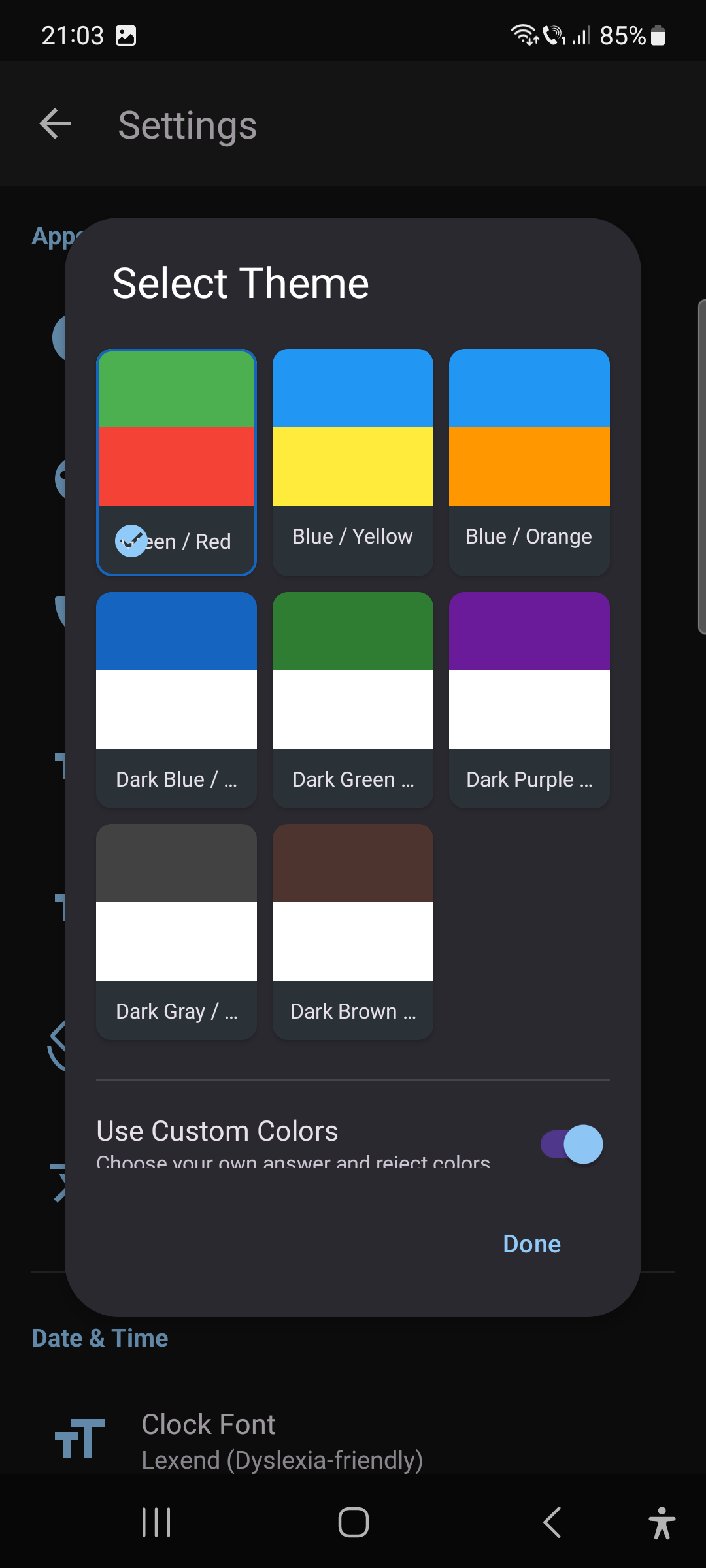
Pro ($6.99/mo): 10 contacts, WhatsApp call detection, 30+ languages, screen saver, 20 pill reminders, mute non-favorites, custom theme colors, address book mode.
Can I switch plans or cancel anytime?
Yes! You can upgrade or downgrade your plan at any time from the Upgrade screen inside the app. There are no long-term commitments. If you downgrade, you’ll keep your current plan’s features until the end of your billing period.
Privacy & Security
Is my data safe and private?
We take a privacy-first approach. CallAssist Pro:
- Only accesses the permissions it needs to function
- Stores all contact and settings data locally on your device
- Never sells, shares, or uploads your personal data
- Does not include any third-party tracking or analytics
Your contacts, call history, and pill reminders never leave your phone.
Does the app collect any personal information?
No. CallAssist Pro does not collect, transmit, or store any personal information on external servers. All data — including your favorite contacts, settings, and pill reminders — is stored in a local database on your device only. You can view our full privacy policy in-app under Settings > Privacy & Data.
Languages & Accessibility
What languages are supported?
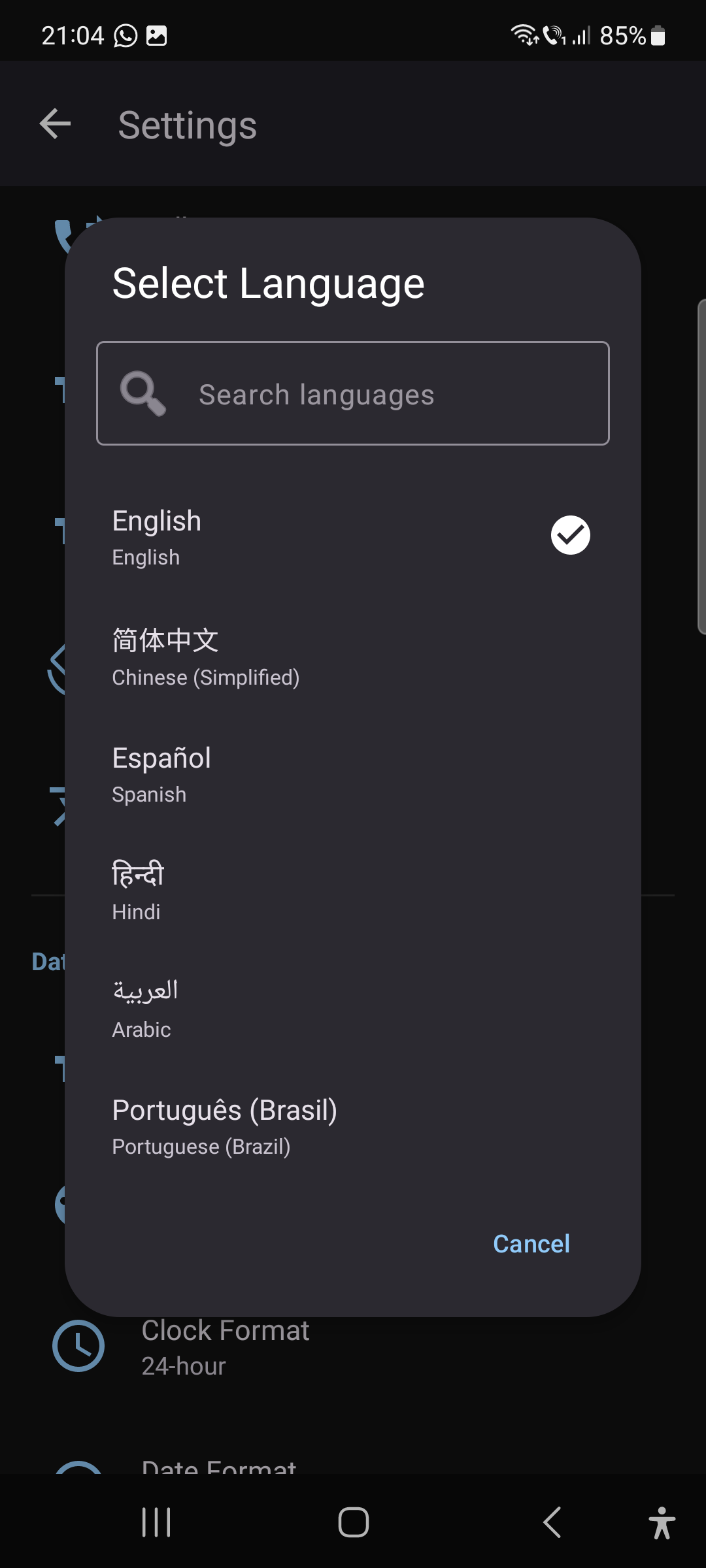
The Pro plan supports 30 languages: English, Arabic, Bengali, Czech, German, Greek, Spanish, Farsi, Filipino, French, Hebrew, Hindi, Indonesian, Italian, Japanese, Korean, Malay, Dutch, Polish, Portuguese (Brazil), Romanian, Russian, Swahili, Tamil, Thai, Turkish, Ukrainian, Urdu, Vietnamese, and Chinese (Simplified). RTL languages (Arabic, Hebrew, Farsi, Urdu) are fully supported. The Free and Plus plans are English-only.
What accessibility features are included?
CallAssist Pro is built from the ground up for accessibility:
- Font sizes: Small (0.8×), Medium (1×), Large (1.2×), Extra Large (1.5×)
- Symbol sizes: 25%, 50%, 75%, or 100%
- Multi-tap confirmation: 1–5 taps to prevent accidental calls
- Vibration feedback: Adjustable 0–250ms per tap
- Text-to-speech: Caller name announced on incoming calls
- High contrast themes: Dark and light modes with bold colors
- Screen orientation: Portrait, landscape, or auto
Troubleshooting
WhatsApp call detection isn't working. What should I do?
WhatsApp call detection requires:
- Pro plan subscription active
- Notification Listener access granted (check Settings > WhatsApp Call Detection)
- Battery optimization disabled for CallAssist Pro (go to Android Settings > Apps > CallAssist Pro > Battery > Unrestricted)
- WhatsApp installed on the device
If you’ve verified all the above, try restarting the device. Some manufacturers (Xiaomi, Huawei, Samsung) have aggressive battery management that may need to be adjusted.
What should I do if the "WhatsApp call detection" feature is not working on my device?
If none of the steps above resolve the issue, it may indicate that your phone does not support this functionality.
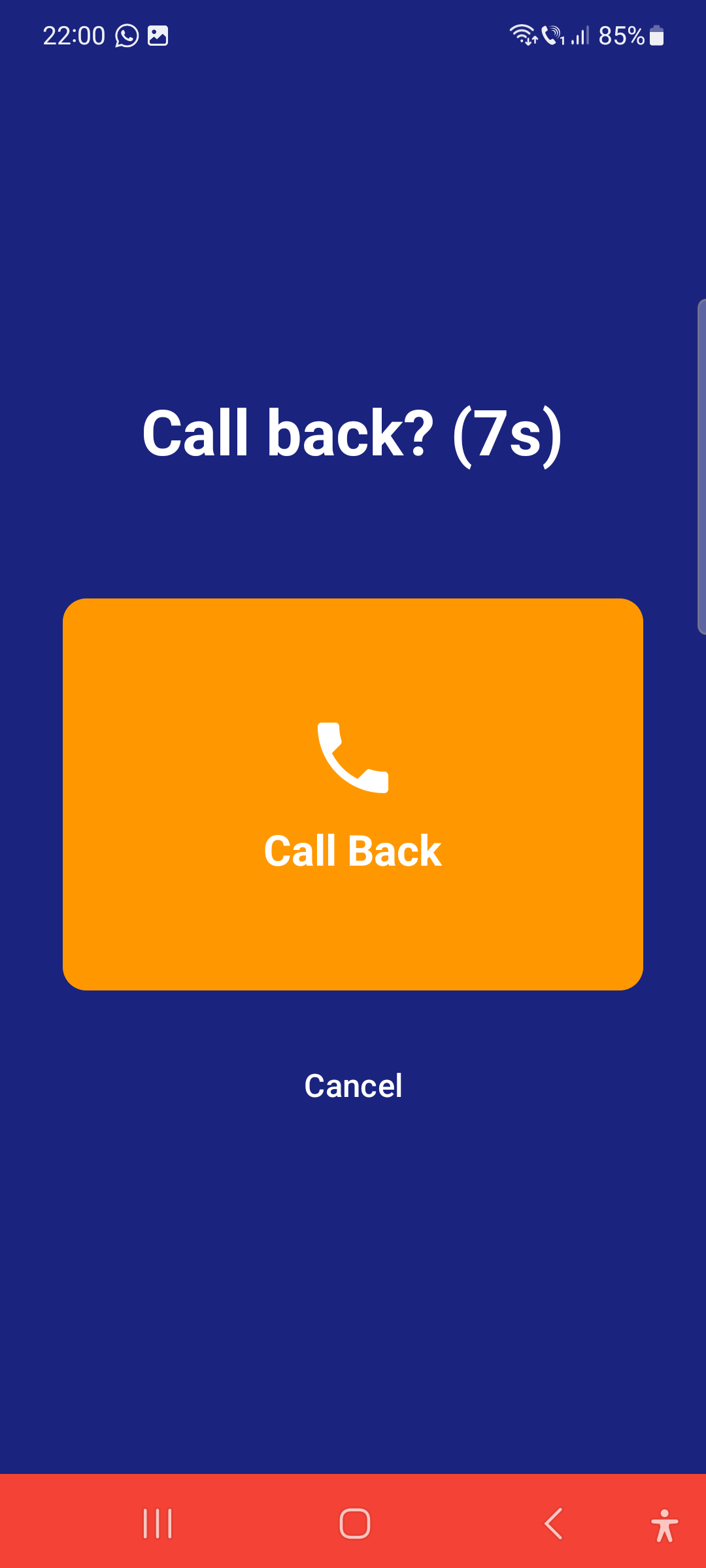
To ensure you can still use the feature, we have provided an alternative solution: you can reject the incoming video call. Once the call is rejected, a callback screen will appear, allowing you to easily initiate a return call to the contact.
The WhatsApp video call initiation feature works on most Android devices. However, if it does not function on your device, please contact our Support team. We will be happy to review the issue and assist you further.
Pill reminders aren't firing on time. How do I fix this?
Pill reminders use Android’s Exact Alarm system. If they’re delayed:
- Go to Android Settings > Apps > CallAssist Pro > Battery and set to “Unrestricted”
- Ensure Exact Alarm permission is granted (Android 12+)
- On Samsung, disable “Sleeping apps” for CallAssist Pro in Device Care
- On Xiaomi/MIUI, enable “Autostart” for the app
Reminders are designed to persist across device reboots automatically.